Your Community Is Part of Your Brand
When a creator shares their community link, it should reflect their personal brand. When an e-commerce company invites customers to join, the domain should match the trust customers already have in the brand. When a non-profit asks volunteers to sign up, the URL should clearly belong to the organization.
Your community isn't just a feature of your business. It's an extension of your brand identity. The domain it lives on matters.
When your community URL shows another company's name, it creates a disconnect. Members wonder if they're in the right place. New visitors hesitate before clicking. The professional credibility you've built elsewhere doesn't carry over.
For creators, your audience knows you by your brand, not by the platform you use. For e-commerce brands, customers need to see your domain to trust the experience. For non-profits, donors and volunteers expect to interact with your organization's web presence.
Use Your Own Domain
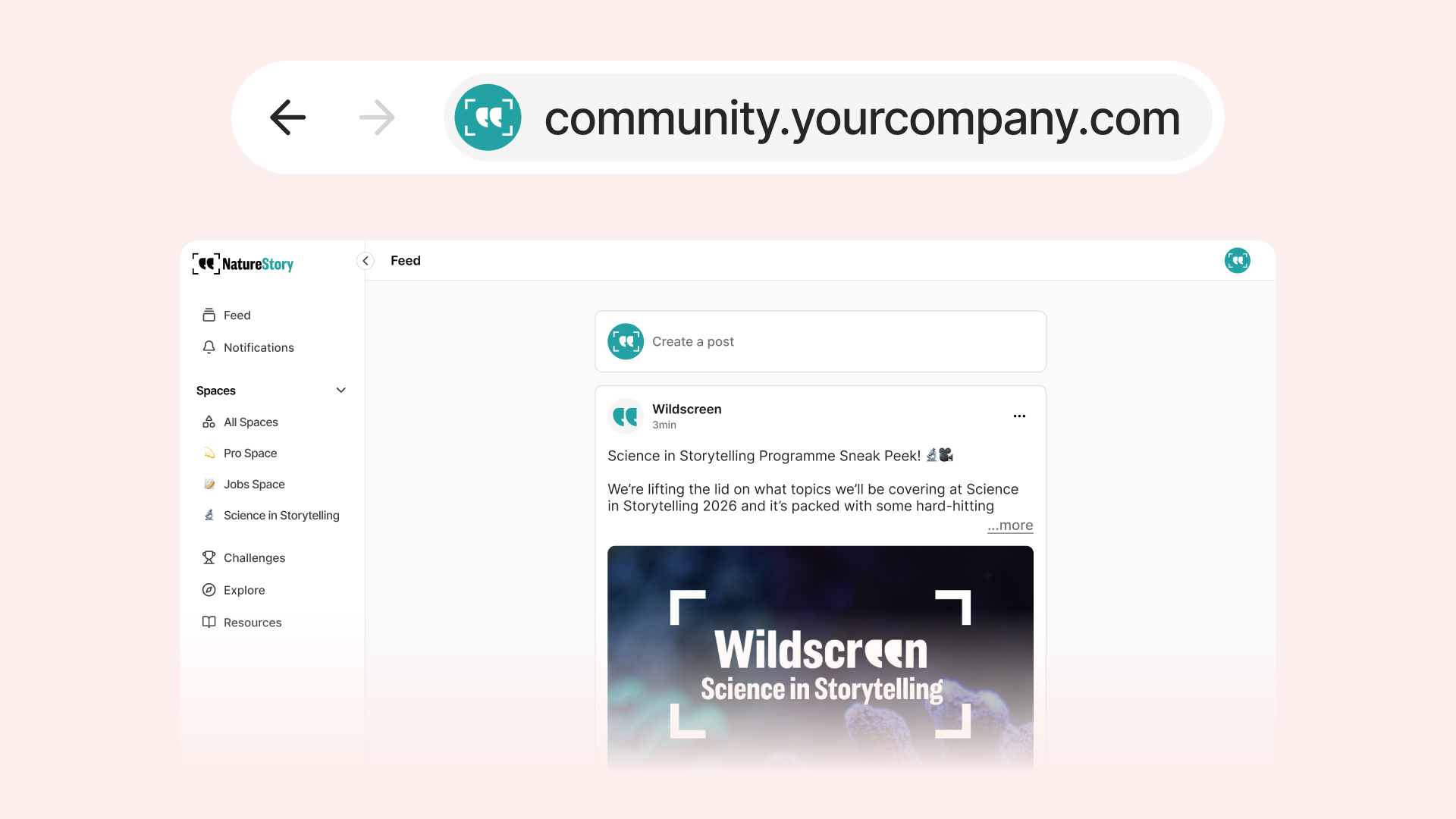
Coralbeat lets you host your community on any domain you own. Your members see your brand in the URL, whether it's community.yourcompany.com, members.yourorganization.org, or hub.yourbrand.io.
When you create a community, you get a default domain immediately so you can start building right away. When you're ready to launch publicly, add your custom domain from the Admin Dashboard. The setup takes a few minutes, and your community becomes accessible at your domain with automatic SSL security.
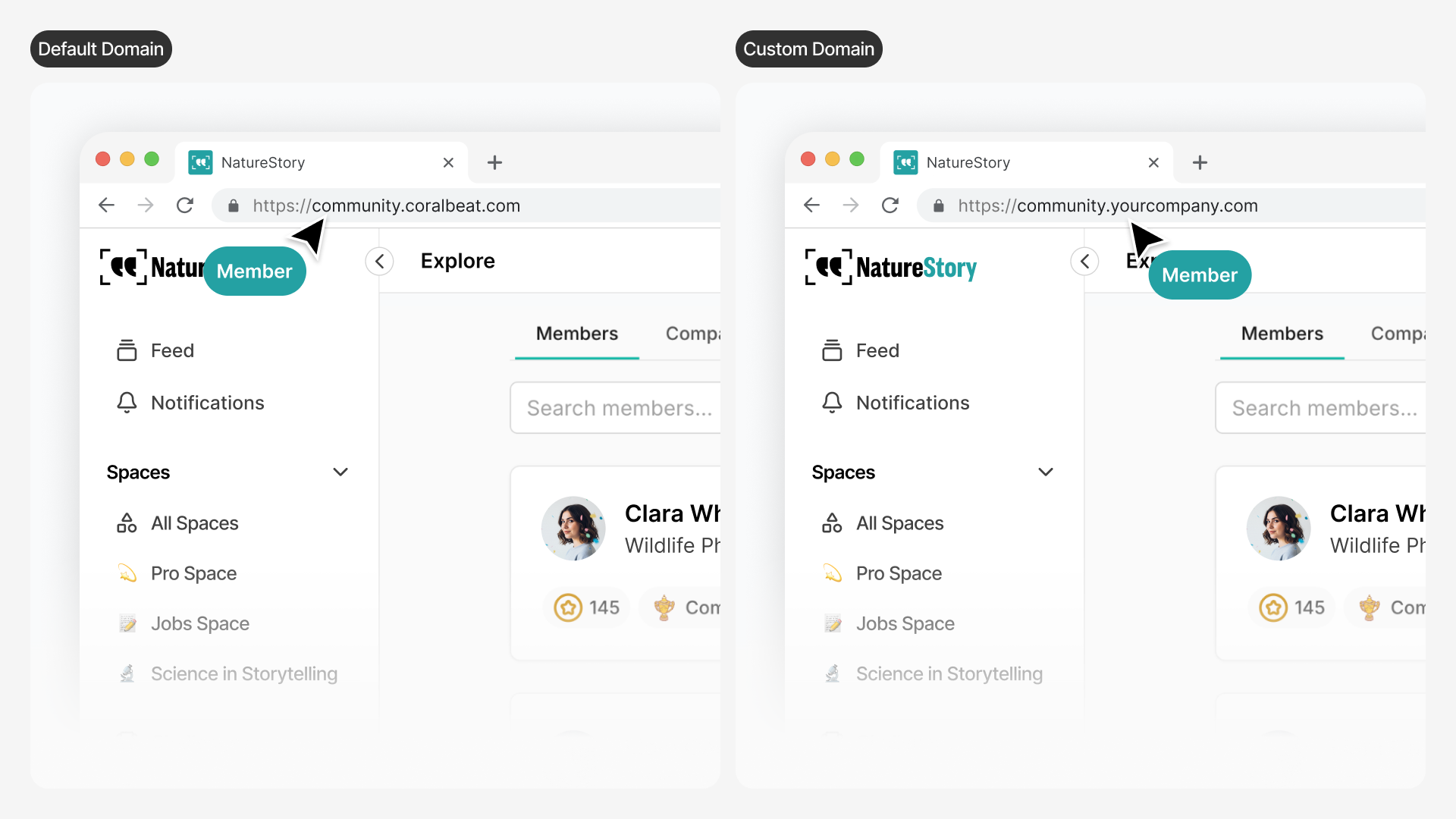 Default domain vs custom domain comparison
Your community starts with a default domain (left) and upgrades to your custom branded domain (right).
Default domain vs custom domain comparison
Your community starts with a default domain (left) and upgrades to your custom branded domain (right).
What This Means for Your Brand
For Creators: Your community lives at your branded domain. When you share the link in your newsletter, YouTube description, or social profiles, it's clearly yours. Members recognize your brand the moment they see the URL.
For E-Commerce Brands: Your customer community sits alongside your main website. If your store is at shop.yourbrand.com, your community can be at community.yourbrand.com. Customers see the connection immediately.
For Non-Profits: Your supporter hub matches your organization's domain. Volunteers and donors interact with community.yourorganization.org, not a third-party platform. It's clearly part of your organization's digital presence.
How It Works
Point your domain to Coralbeat, and we handle the technical setup. Your community becomes accessible at your domain with automatic SSL certificates for secure connections. Certificates renew automatically, so security stays current without manual work.
Common Domain Configurations
Most communities use a subdomain structure:
- Creators:
community.yourname.comormembers.yourname.com - E-Commerce Brands:
community.yourbrand.comalongsideshop.yourbrand.com - Non-Profits:
community.yourorganization.orgorhub.yourorganization.org
You can also use a primary domain if your community is the main focus of your online presence.
Setting Up Your Domain
From Settings → Domain in your Admin Dashboard, you'll see the DNS records to add at your domain provider. Add the CNAME record, verify ownership, and your custom domain goes live with automatic SSL.
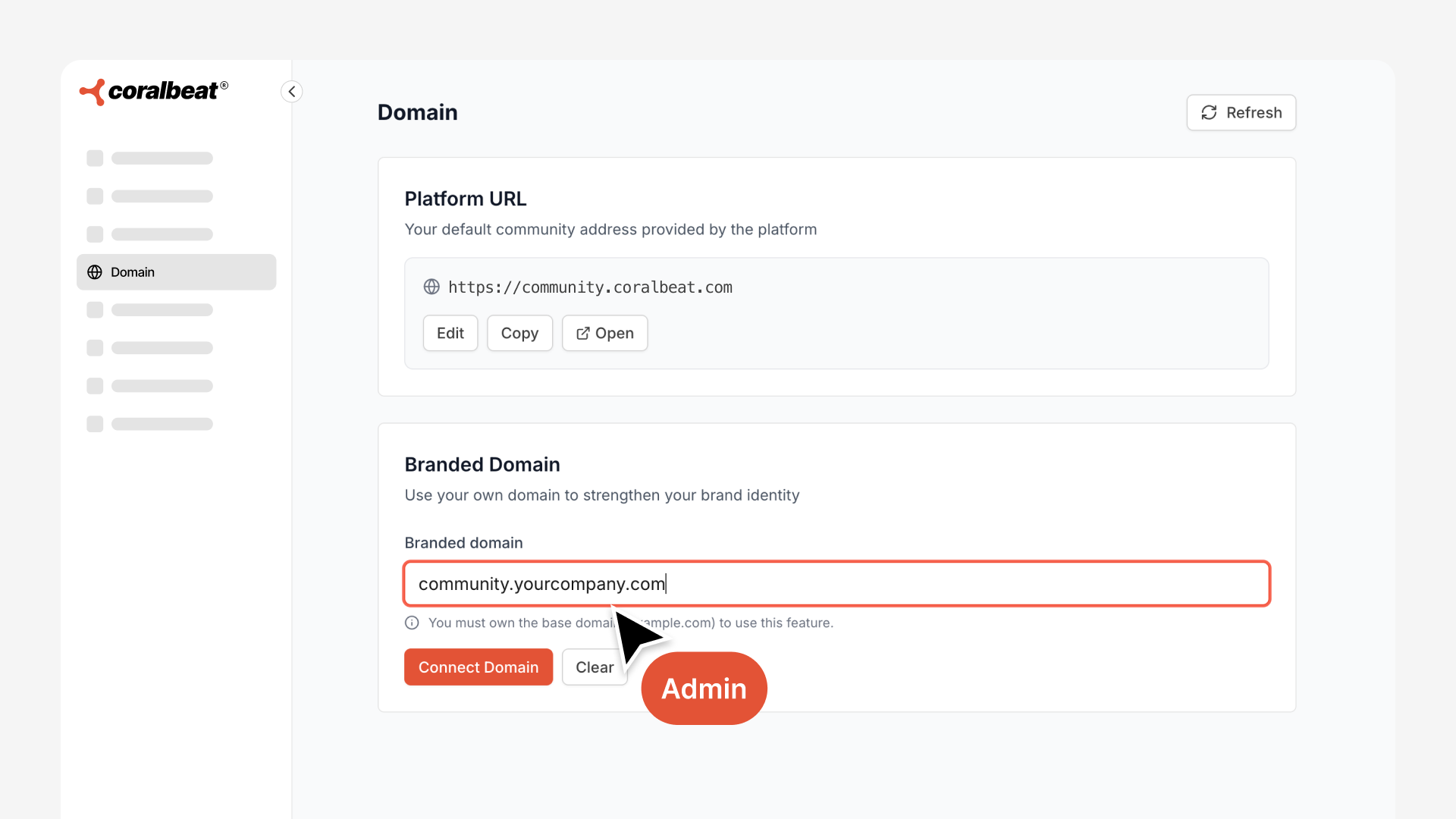 Connect custom domain interface
Enter your domain and add the provided DNS records at your domain provider.
Connect custom domain interface
Enter your domain and add the provided DNS records at your domain provider.
Once DNS propagation completes (usually within minutes), your custom domain becomes active with automatic SSL certificate provisioning.
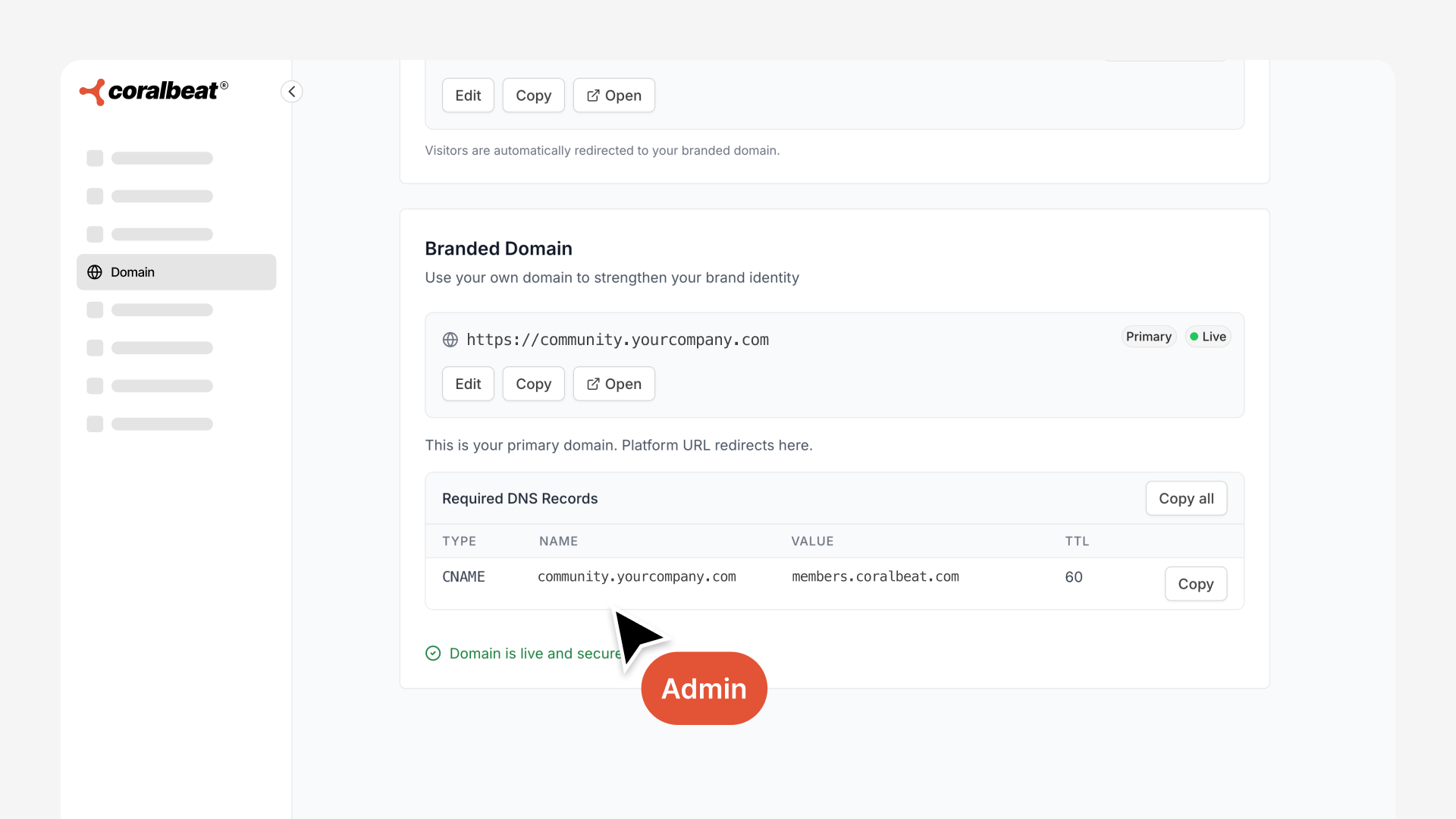 Custom domain successfully connected
Your custom domain is now live with SSL security enabled.
Custom domain successfully connected
Your custom domain is now live with SSL security enabled.
Every community starts with a default subdomain that works immediately, so you can begin building your community and add your custom domain when you're ready to launch.
Why This Matters
Your community is where you build relationships with your audience, customers, or supporters. When the domain reflects your brand, members feel they're in the right place. There's no question about who owns this space or whether it's legitimate.
The domain creates trust before members even log in. It signals that this community is a core part of your brand, not an afterthought hosted on someone else's platform.
For creators building a personal brand, for e-commerce companies cultivating customer loyalty, and for non-profits coordinating supporters, the domain is the first impression. Make it yours.