Members join with genuine interest, browse for a few minutes, then disappear. They log in occasionally but never post or comment. Without structure or direction, they don't know what actions matter most or see their progress. Participation feels random instead of purposeful.
You're left manually nudging people to take action while your community remains inactive.
A Clear Path Forward for Every Member
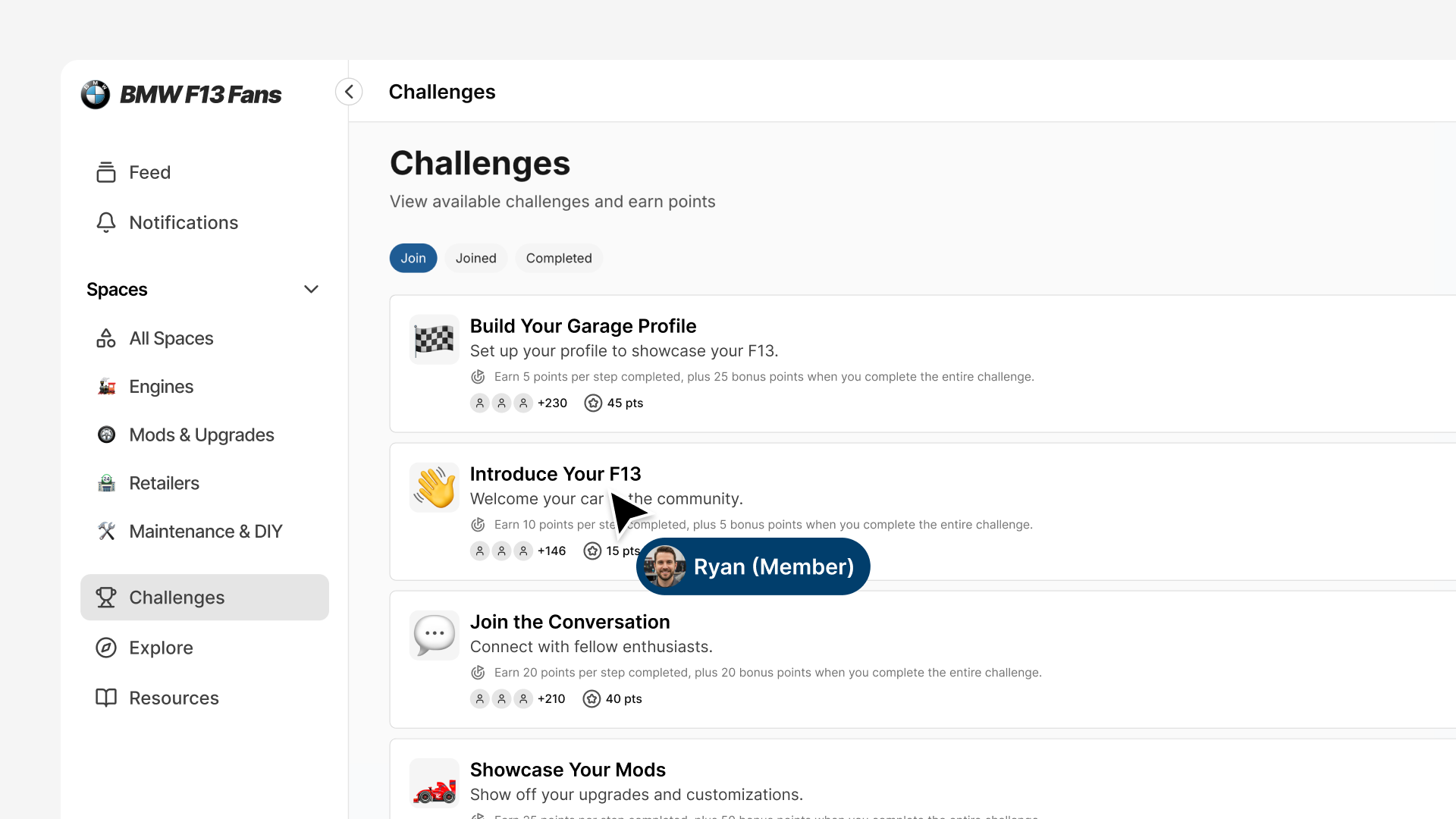
Give members structured pathways that guide specific actions from day one. Challenges create clear journeys: complete your profile, make your first post, join a conversation. Each step builds momentum toward meaningful participation.
Progress tracks automatically. Points accumulate. Badges unlock. Members see exactly where they stand and what comes next.
Built-In Engagement That Works Immediately
Challenges are baked directly into your community platform. No third-party integrations. No complex setup.
Create a challenge in minutes. Members discover it in their community feed. They join with one click. Progress updates automatically as they take actions. Points add up. Badges unlock when thresholds are reached.
Automatic Progress Tracking
The moment a member completes a challenge step (posting, commenting, updating their profile), the system tracks it. No manual verification. No spreadsheets. Progress updates in real-time.
Visible Achievement and Progression
Members see their progress accumulate. Each completed step awards points. Complete an entire challenge to earn bonus points. Points add up toward badge level thresholds, creating visible progression on member profiles.
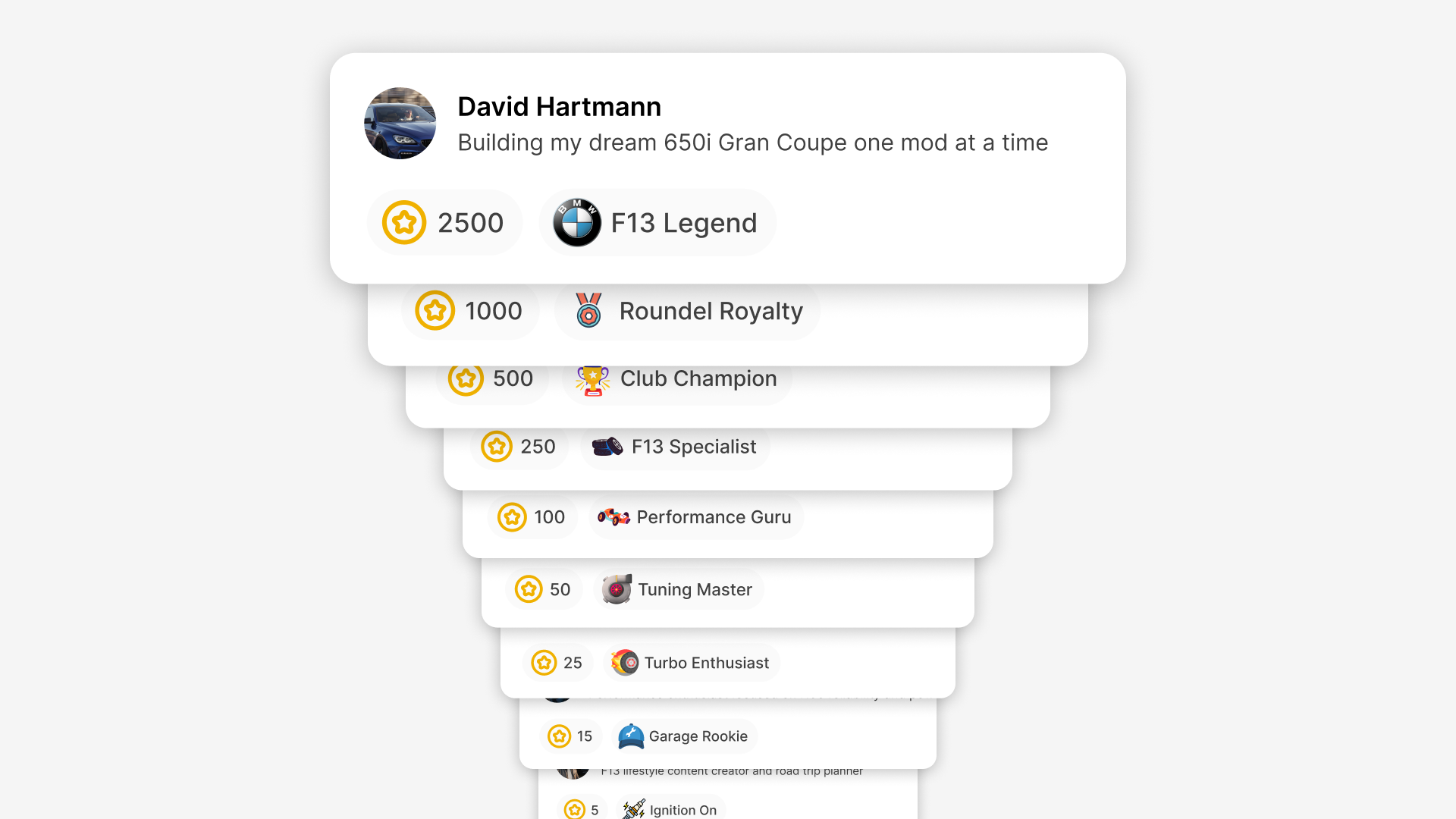
A new member starts with zero badges and must earn their first one. Make your first badge level achievable through basic onboarding actions for a quick win. Then increase difficulty for higher levels, making top badge levels genuinely hard to reach.
Member-Driven Participation
Members browse available challenges and choose what's relevant to them. Every person who joins actively opted in because they want to participate. This creates genuine commitment and higher completion rates.
Setting Up Your First Challenge in Minutes
Creating a challenge requires just a few straightforward steps. You'll set up your badge system first (so members have something to work toward), then create challenges that award points toward those badges.
1. Create Your Badge System
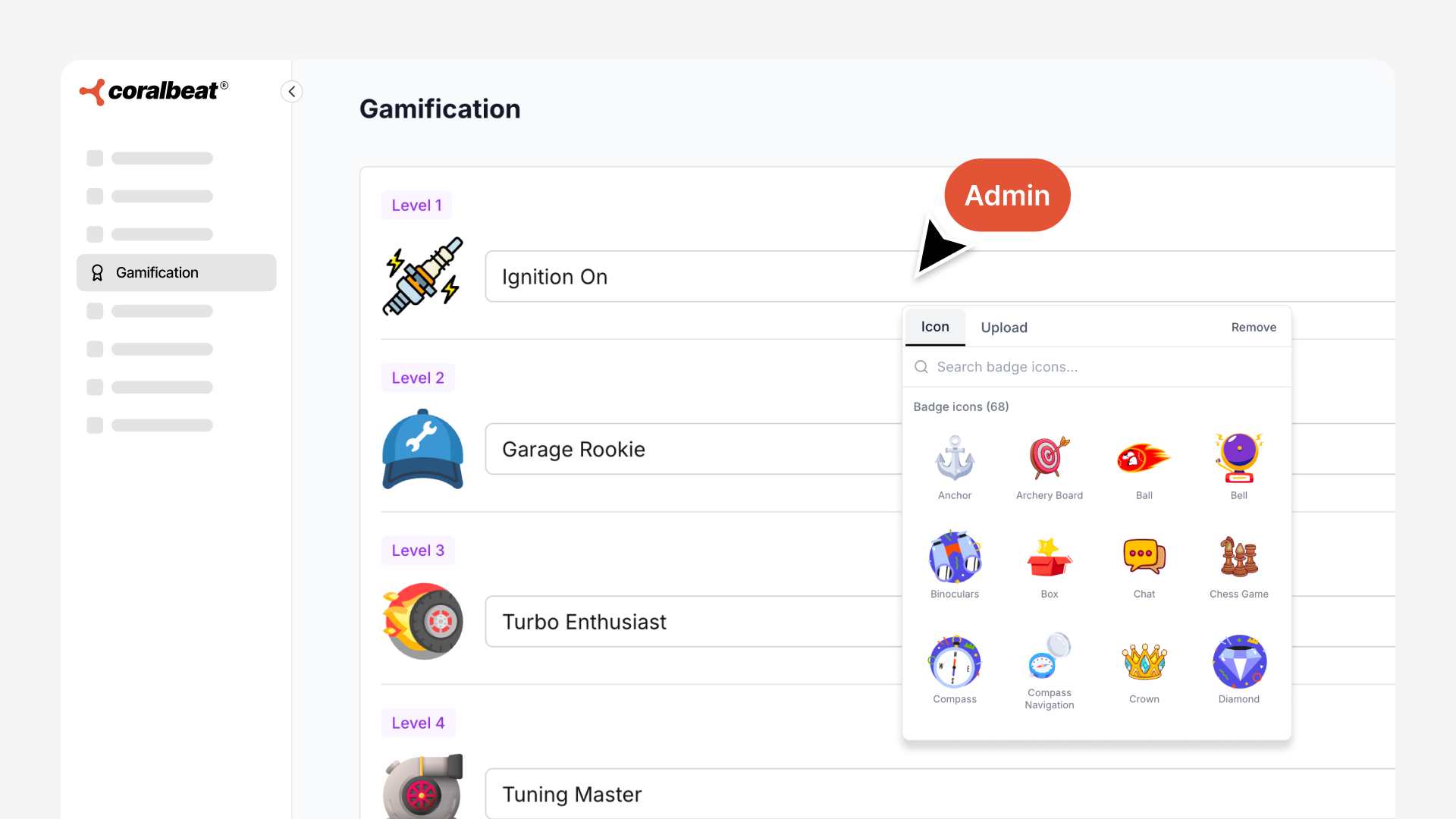
Go to Settings → Gamification in your Admin Dashboard. Here you'll create up to 9 badge levels with custom names that fit your community brand.
For each badge level, you'll configure:
- Icon: Visual representation members will see (choose from our built-in icon library or upload your own custom icon)
- Badge Name: What the achievement is called
- Points Required: The threshold members must reach to unlock this badge
Our built-in icon library keeps expanding, making it easy to find the perfect visual for your badges without needing design skills. Whether you want classic achievement icons or something unique to your community, you have options.
Badge levels create pure progression. As members earn points, they unlock higher badge levels. The platform comes pre-built with a 9-level badge system ready to use:
- Community Starter (5 points)
- Community Contributor (15 points)
- Active Member (25 points)
- Engaged Member (50 points)
- Community Champion (100 points)
- Community Leader (250 points)
- Community Hero (500 points)
- Community Legend (1,000 points)
- Community Icon (2,500 points)
Use this default system as-is or customize the badge names, icons, and point thresholds to match your community's brand. You can use fewer than 9 levels, but the maximum is 9 levels.
2. Create Your First Challenge
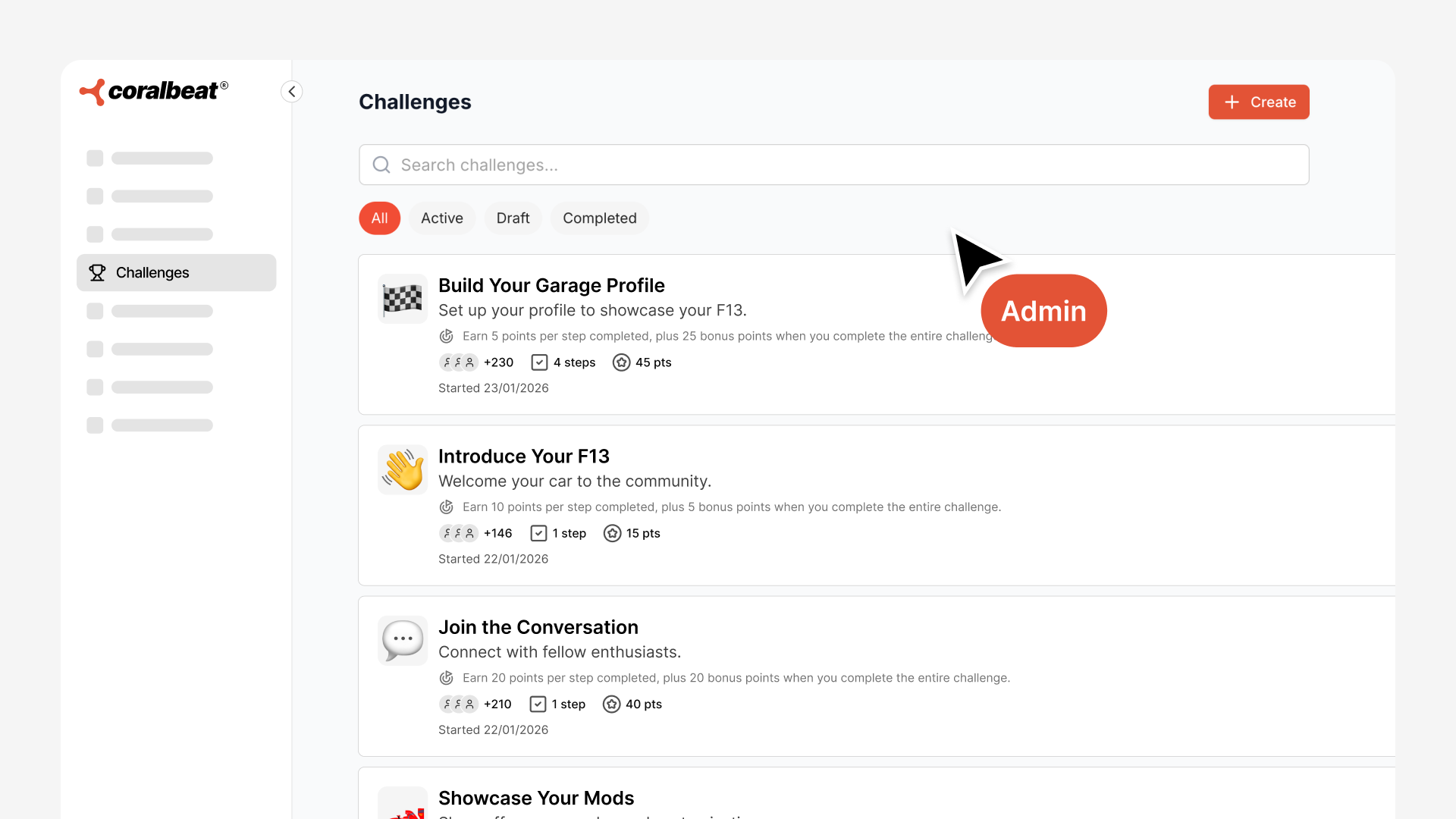
Navigate to Community → Challenges in your Admin Dashboard and click Create Challenge.
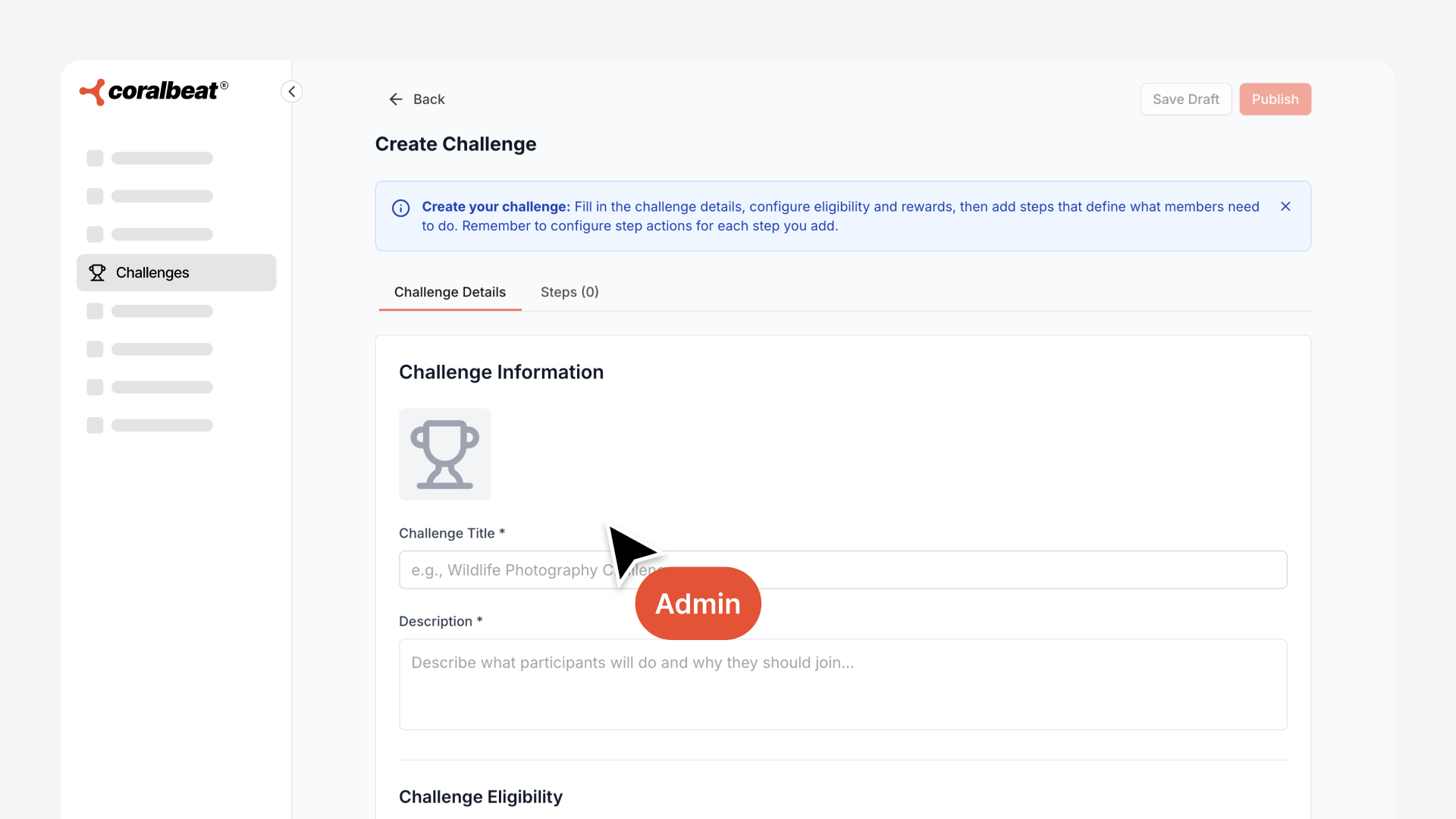
You'll configure:
Basic Details:
- Icon: Helps members visually identify the challenge (select from our built-in icon library or upload your own custom icon)
- Title: Clear, action-oriented name ("Complete Your Profile," "Make 5 Posts This Week," "Share Your Product Photo")
- Description: Explain what members will do and why it matters to them
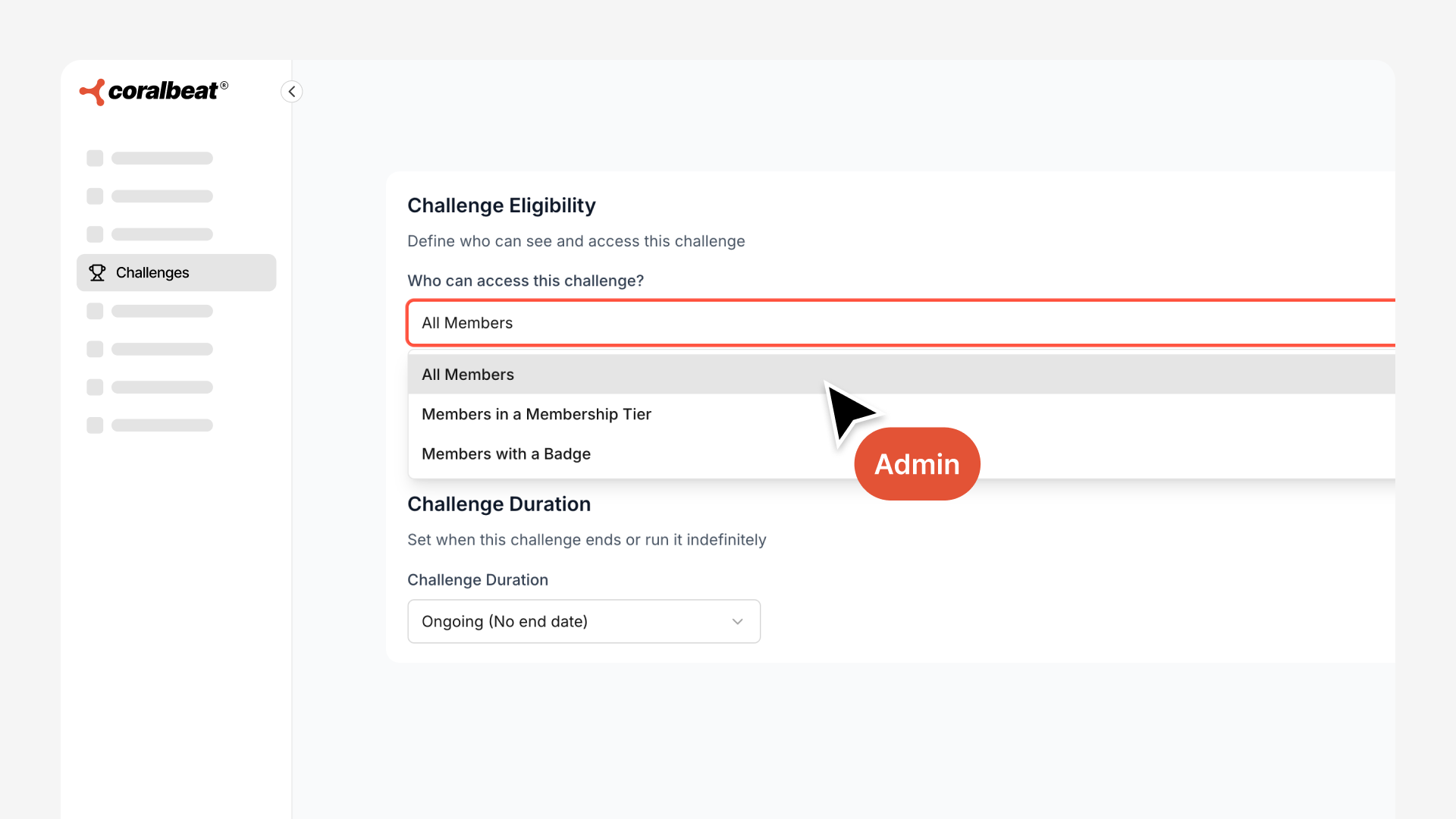
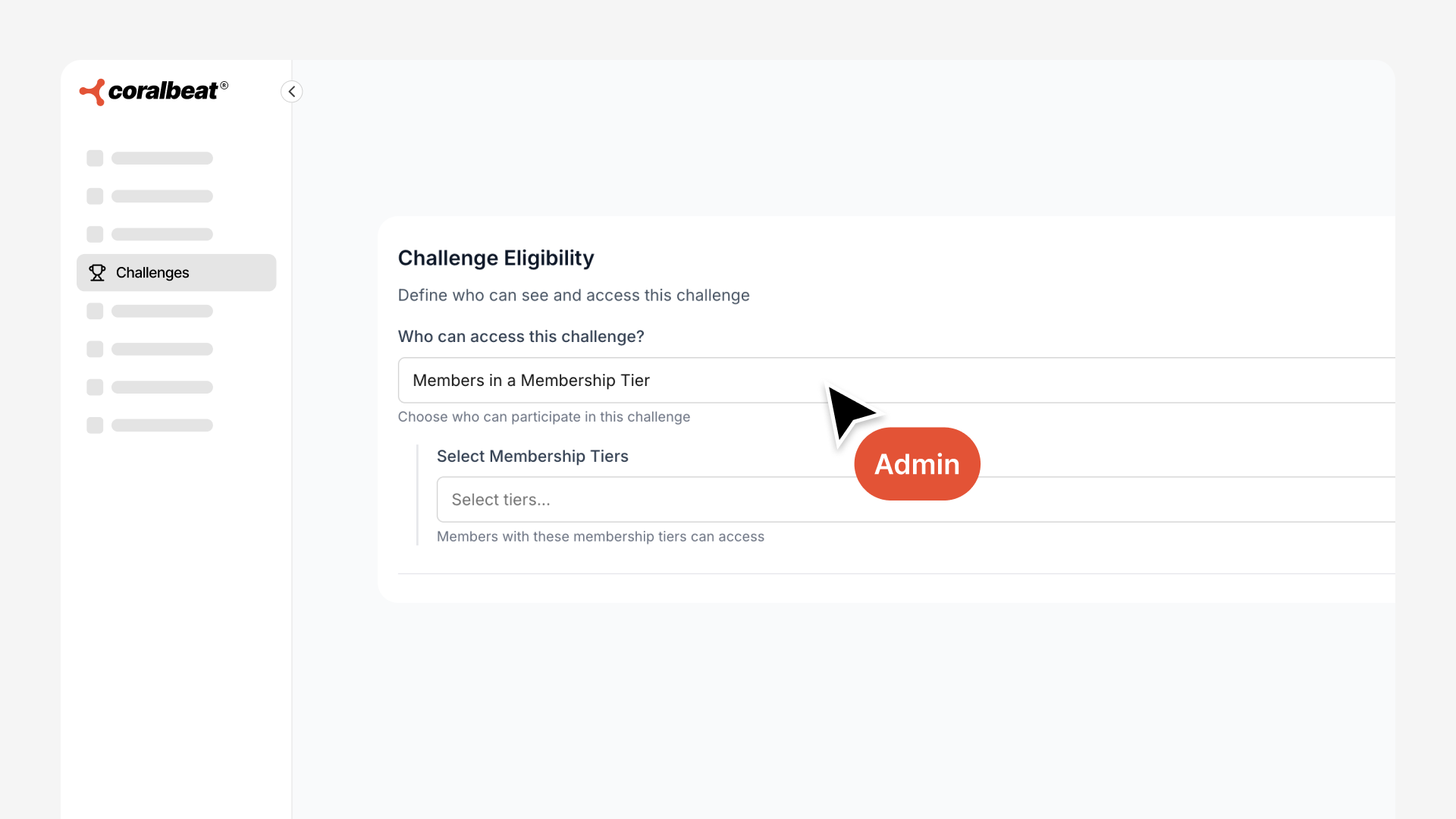
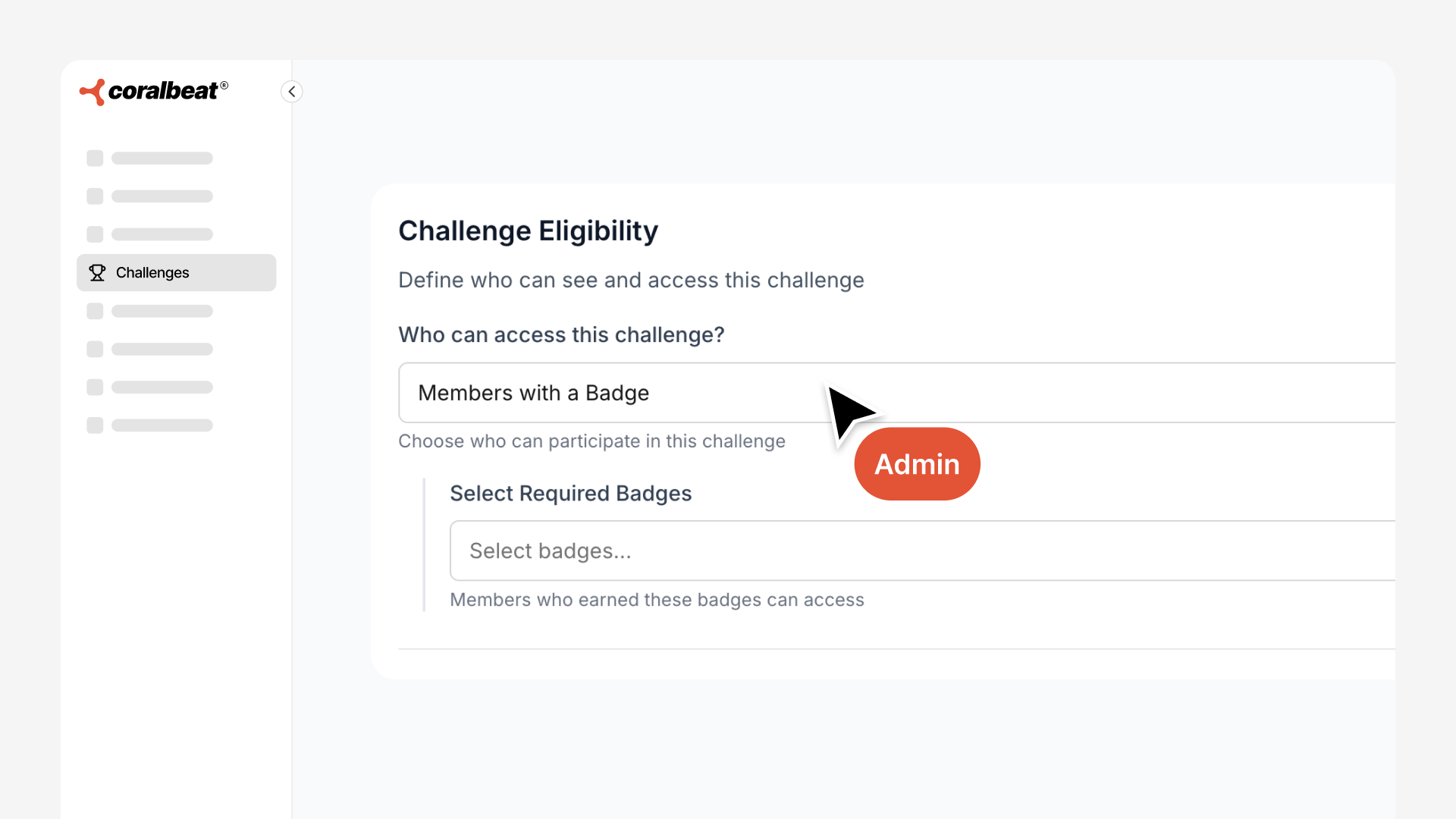
Eligibility: Control who can join this challenge
- All Members: Anyone in your community can participate (great for onboarding and general engagement)
- Members in a Membership Tier: Limit to specific subscription levels to create exclusive premium challenges
- Members with a Badge: Require specific badge levels as prerequisites (e.g., only members with Gold badge level can access advanced challenges)
Duration: Set challenge timing
- Ongoing: Always available, members can join anytime (perfect for evergreen onboarding)
- End Date: Set a specific end date for the challenge if desired
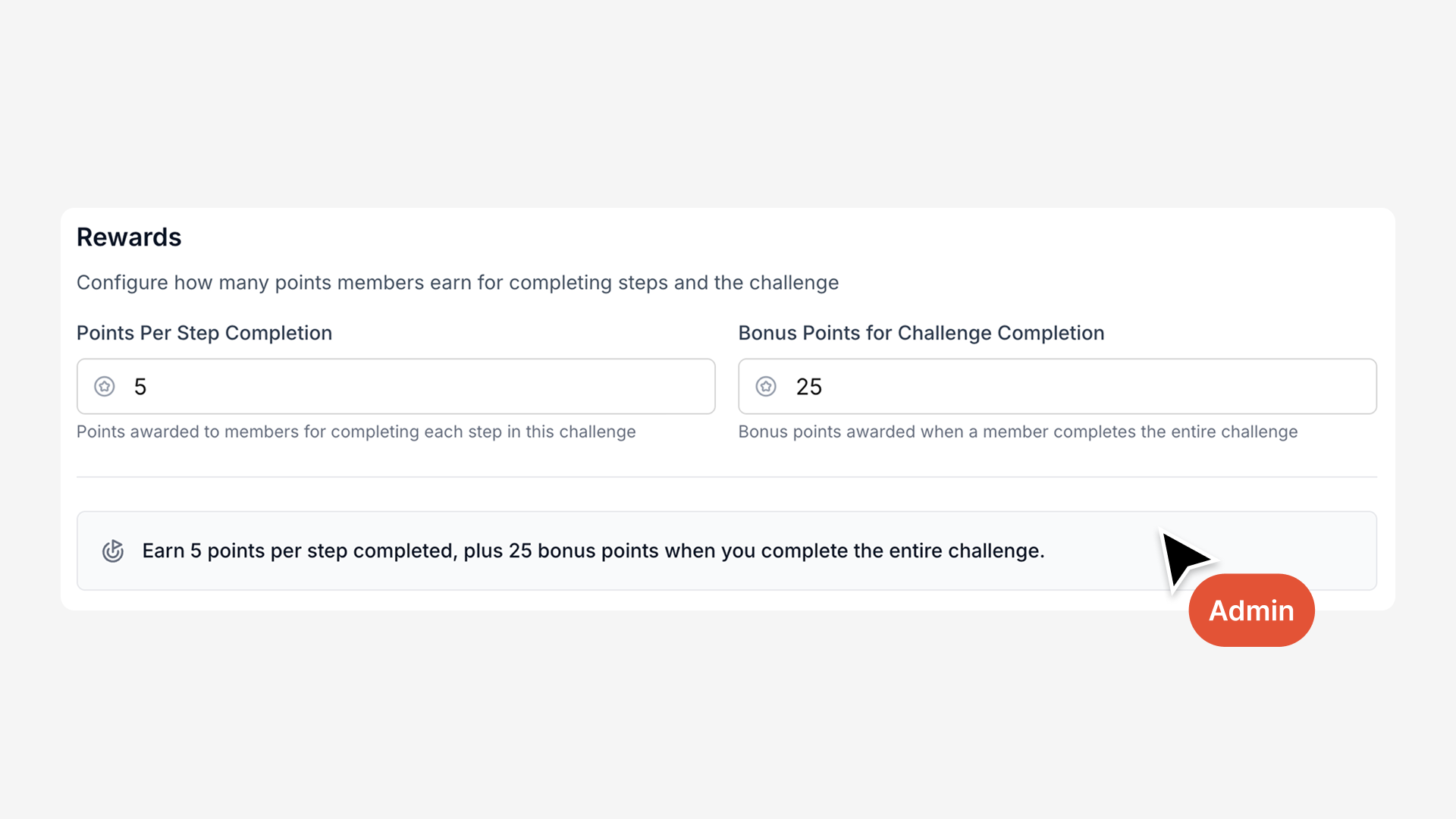
Rewards: Define what members earn
- Points Per Step Completion: How many points awarded for completing each individual step action within a step
- Bonus Points for Challenge Completion: Extra points awarded when members complete the entire challenge (incentivizes full completion)
3. Add Steps That Drive Specific Actions
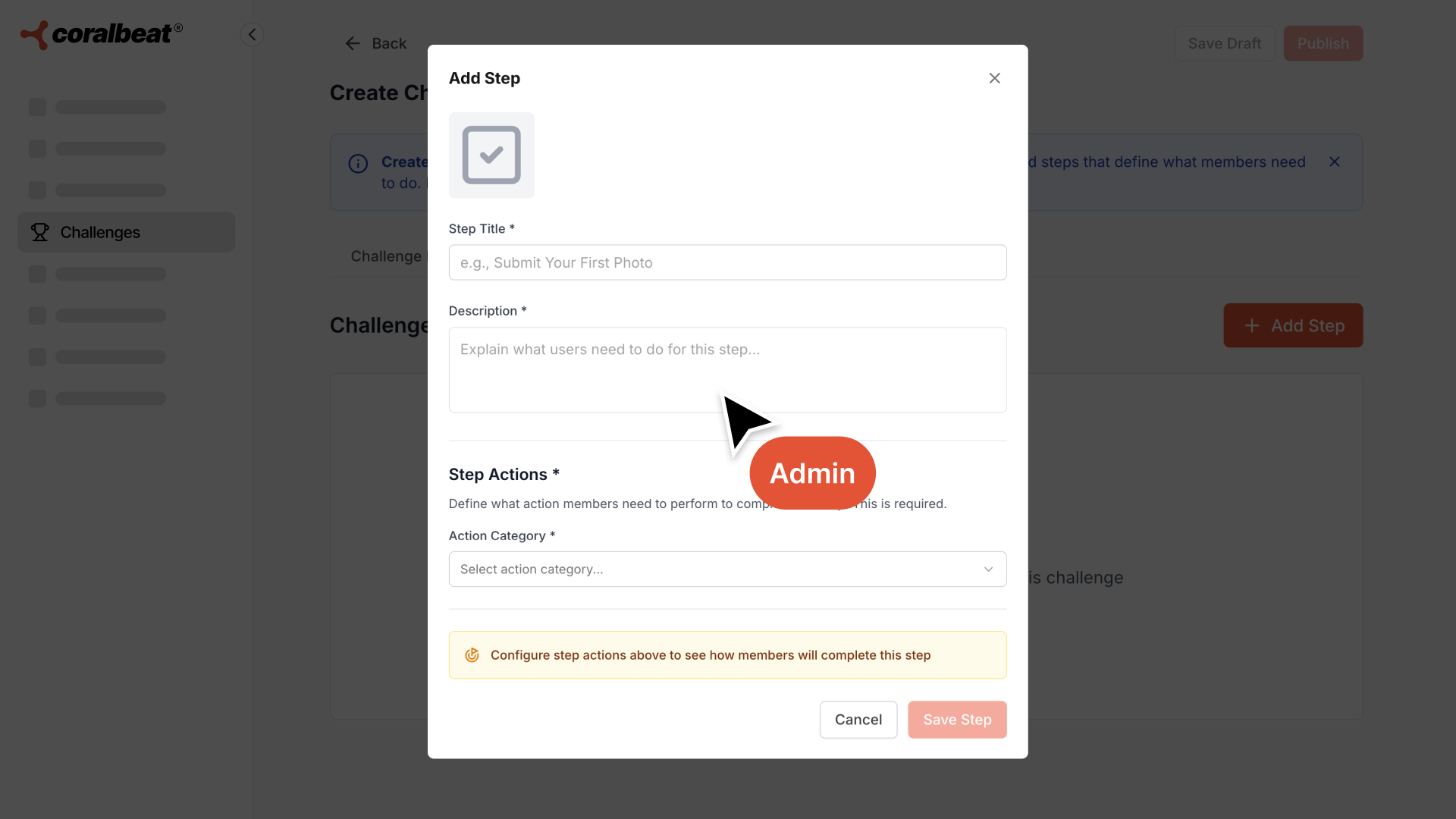
Each challenge consists of one or more steps. Click Add Step to create each one:
- Icon: Visual identifier for this specific step (choose from the built-in library or upload custom)
- Title: What members need to do ("Create Your First Post," "Comment on 5 Posts," "Upload Profile Photo")
- Description: Instructions and context so members know exactly what's expected
- Step Actions: Choose what counts toward completion:
- Post: Members create posts in your community feed
- Comment: Members write comments on others' posts
- Profile: Members complete specific profile actions:
- Upload a profile image
- Upload a profile banner
- Complete profile intro
- Add bio
- Add skills
- Add experience
- Action Count: Set how many times members must complete the action (e.g., "Post 3 times" or "Comment on 5 posts")
You can create steps that require single actions ("Upload a profile image") or multiple repetitions ("Create 3 posts this week"). The system tracks all actions automatically and marks steps complete when members hit the targets you've set.
Once you've added all steps, you can Save as Draft to work on it later, or Publish immediately to make it available to members. Published challenges appear in the Community App where eligible members can discover and join them.
How Members Experience Challenges
From your members' perspective, challenges create a clear engagement framework from the moment they join your community.
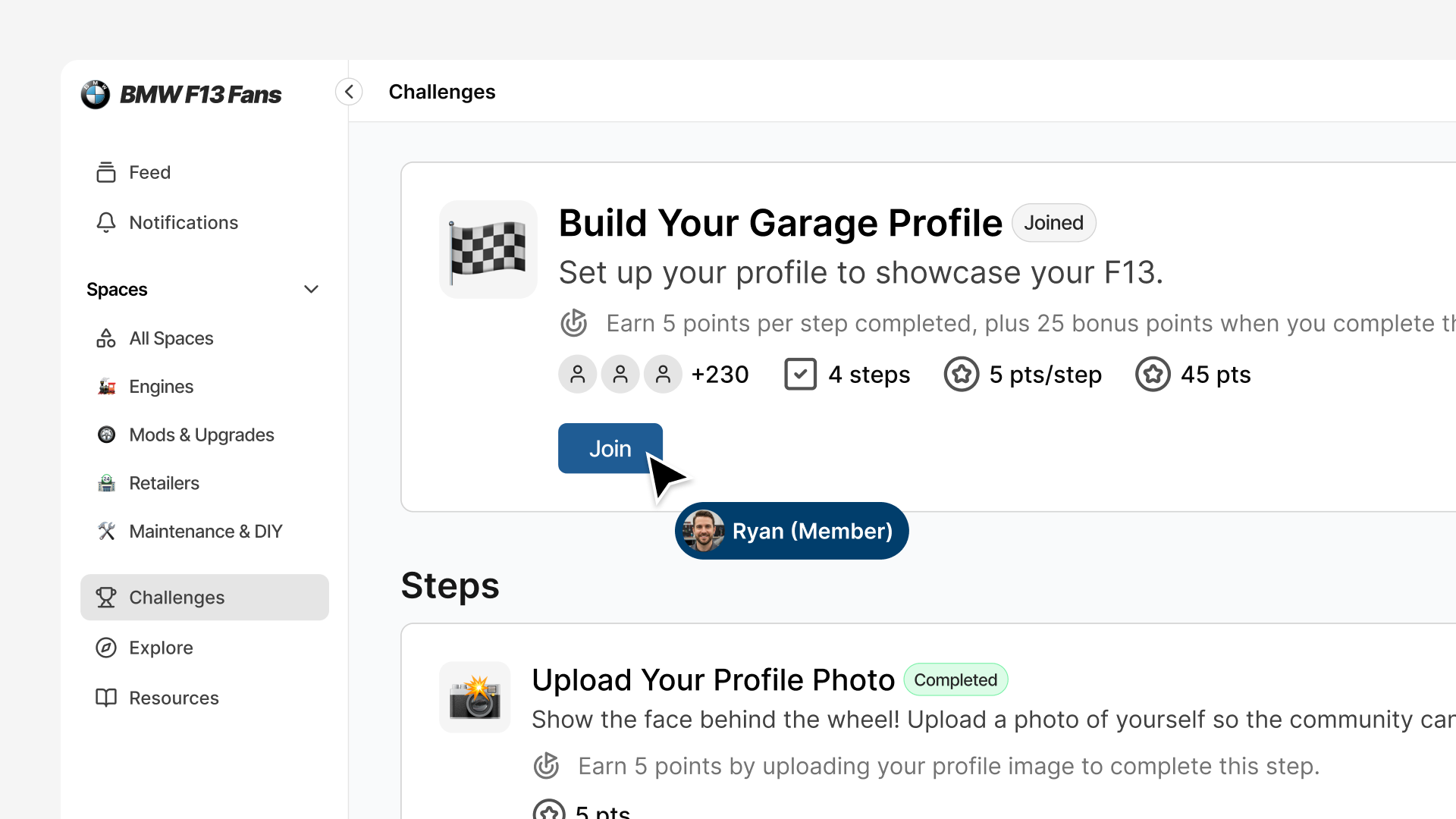
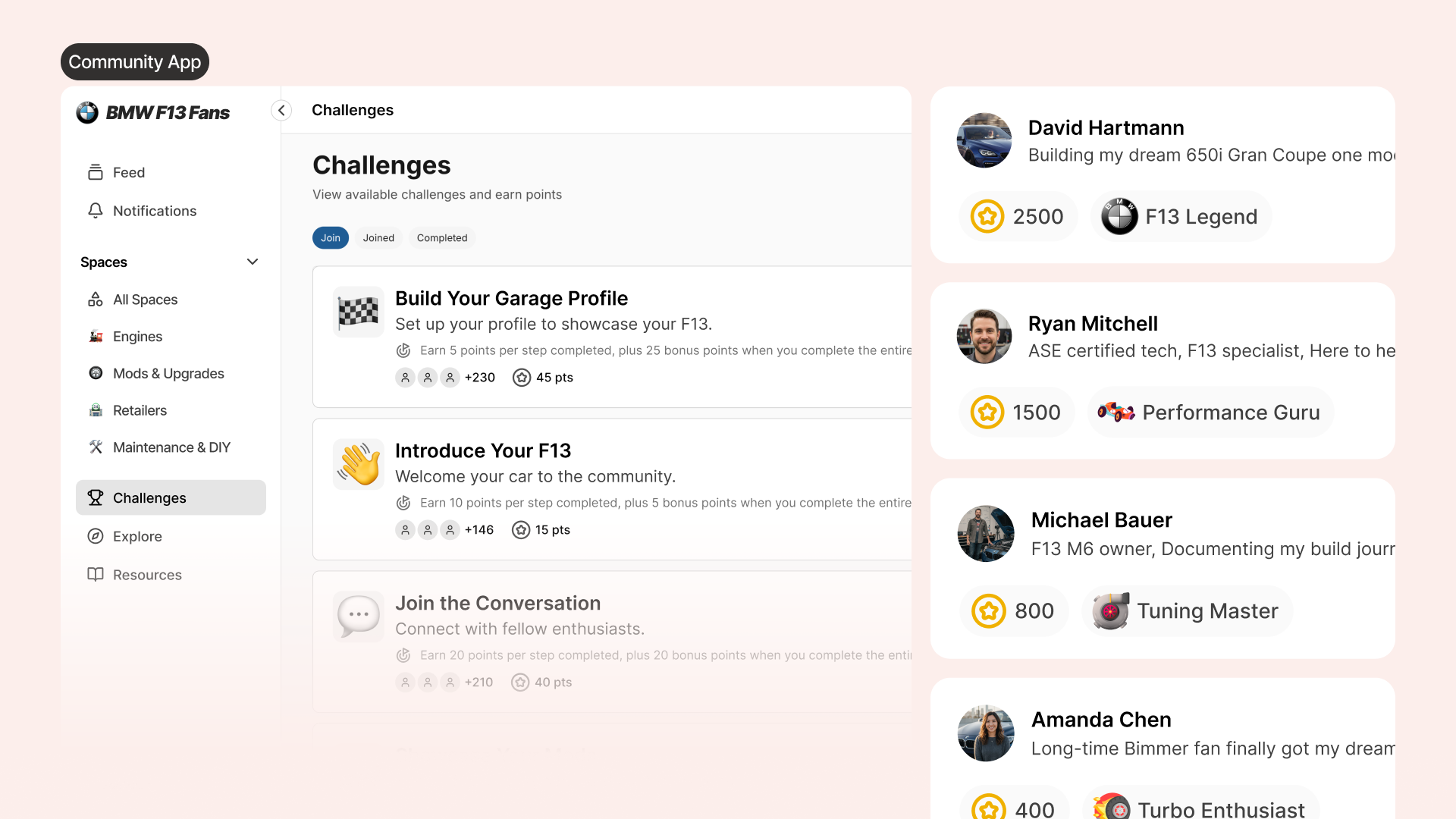
Discovery: Members see available challenges in the Community App. Each challenge shows its title, description, duration, and eligibility requirements.
Eligibility Check: Members instantly see which challenges they can join based on their membership tier or current badge level. Exclusive challenges display with "Premium Members Only" or "Requires Gold Badge Level" indicators, creating natural progression goals.
Join with Intent: When a challenge resonates, members click Join Challenge to opt in. They're making an active choice to participate, which drives higher completion rates than automatic enrollment.
Progress Tracking: As members complete challenge steps (posting in the feed, commenting on discussions, updating their profile), progress updates automatically. They see exactly what they've completed and what remains.
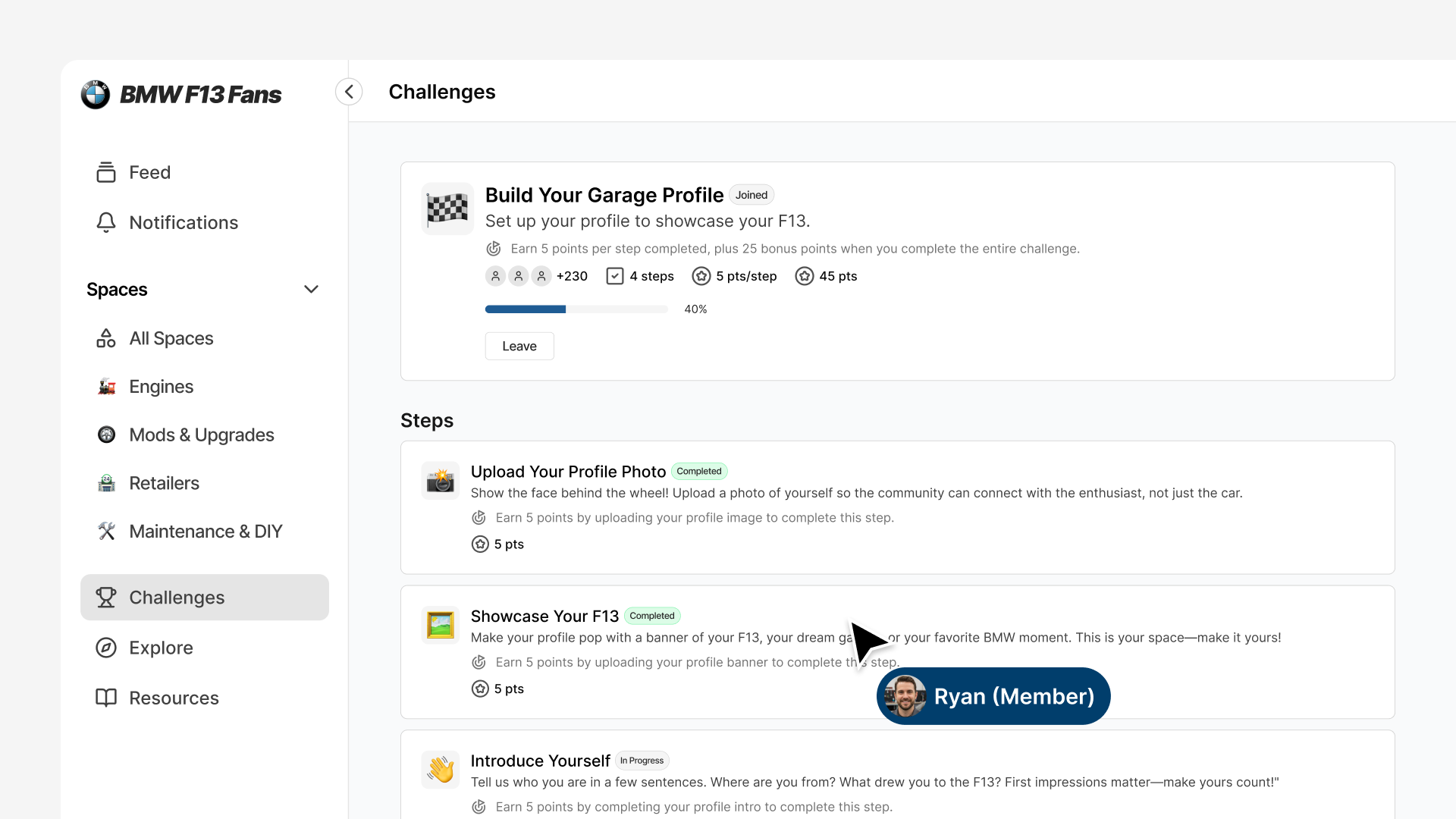
Completion and Rewards: When a member completes all steps, the challenge marks as finished, points are awarded, and they immediately see progress toward their next badge level. The sense of momentum keeps them moving forward toward the next achievement.
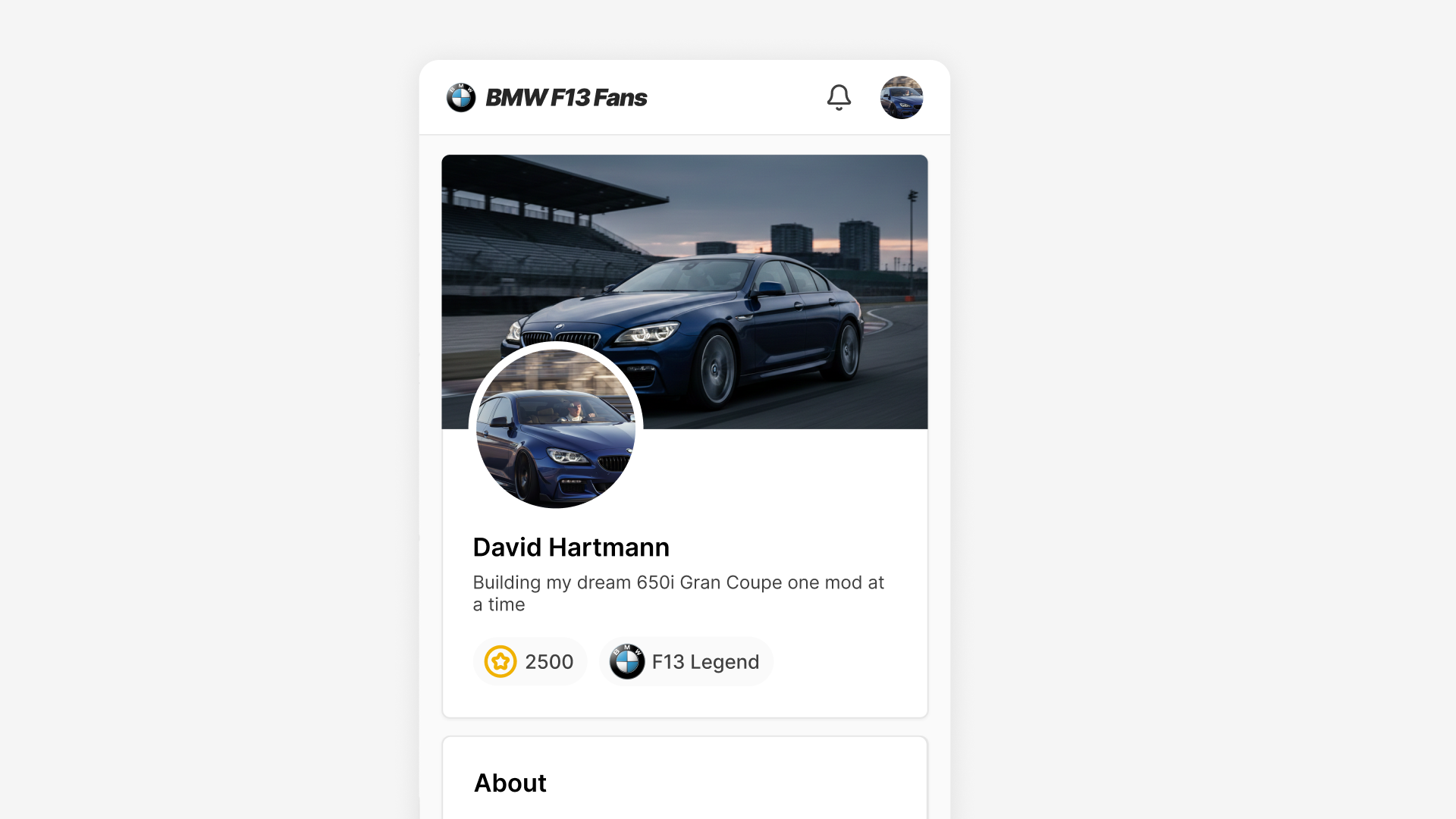
Visible Achievement: Earned badge levels display on member profiles throughout the community. When someone posts or comments, others see which badge level they've achieved, creating social recognition for participation and contribution.
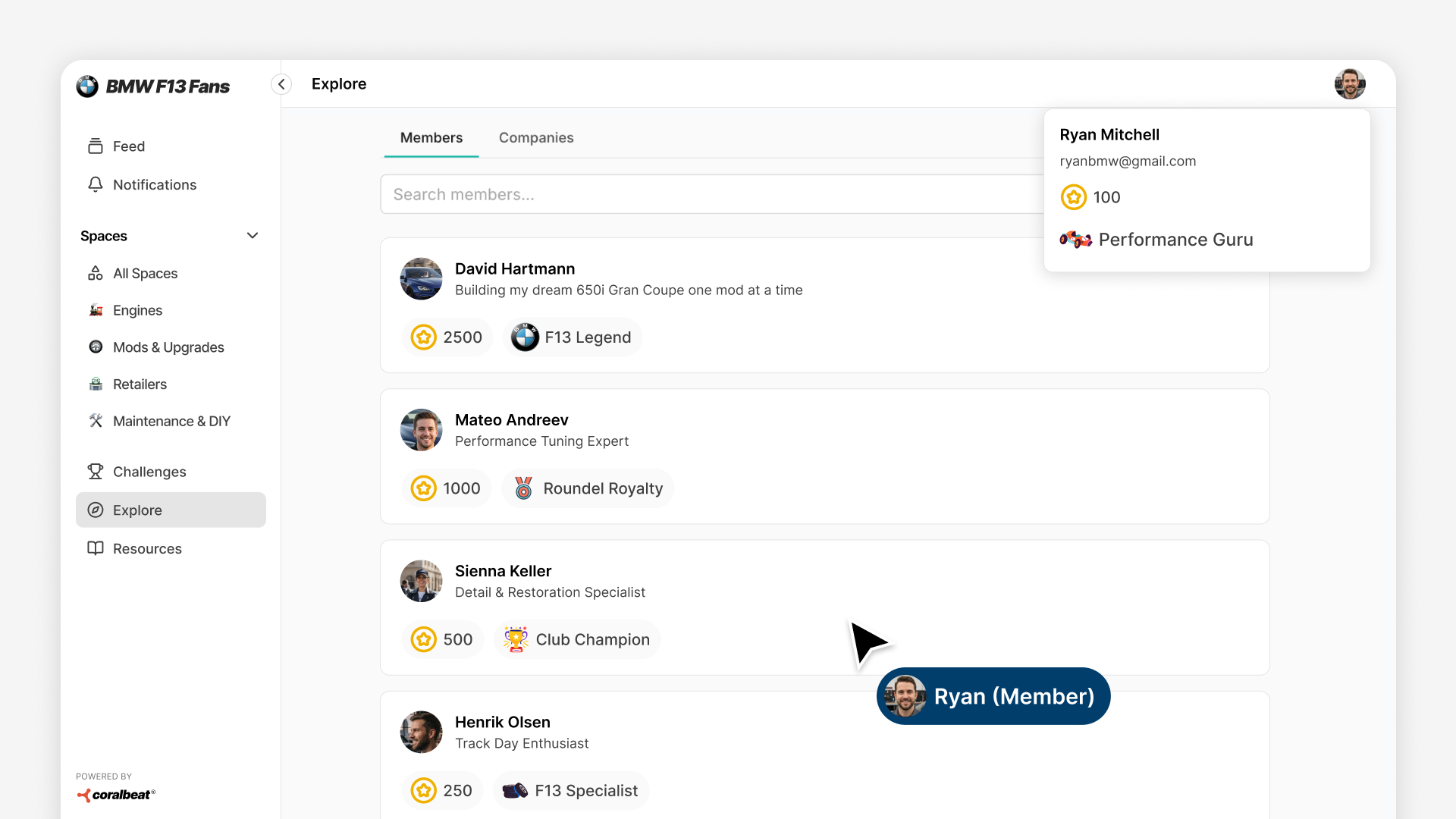
The member directory acts as a built-in leaderboard, displaying members with the most points at the top. Members can filter the directory by badge levels to see who's achieved specific milestones.
Challenge Types That Drive Results
Onboarding Challenges
"Complete Your Profile": Upload profile image, banner, intro, bio, skills, and experience. Helps members earn their first badge.
"Make Your First Post": Guide new members to create their first post, breaking through intimidation while awarding points.
"Join the Conversation": Require commenting on existing posts so new members start connecting with others immediately.
Exclusive Challenges
Gate challenges behind membership tiers or badge levels to reward premium members and create progression pathways.
Membership Tier Exclusive: Give premium members access to special challenges like spotlights or feedback circles.
Badge-Gated: Require higher badge levels to unlock leadership challenges like mentoring or moderating.
Integration with Your Community
Membership Tiers
Gate challenges behind membership tiers to give premium members tangible benefits beyond access. When someone upgrades, they immediately unlock new challenges.
Badge Progression
Badge levels unlock as members earn points and become prerequisites for more advanced challenges. This creates a clear member journey: join → complete onboarding → earn first badge level → unlock more advanced challenges → access exclusive leadership challenges.
Social Feed
Challenge steps track actions in your social feed automatically. When someone posts, comments, or updates their profile, relevant challenge steps mark as complete without manual intervention.
Why This Approach Works
Clear Direction: Members know exactly what actions to take. No more wondering "how do I get involved?"
Visible Progress: Every action contributes to something members can see. Points add up. Badges unlock. Progress bars fill.
Automatic Operation: Once you create a challenge, it runs itself. Progress tracks automatically. You're not manually managing participation.
Scalable Recognition: Badge levels provide social recognition that scales automatically and publicly.
The result: members engage more consistently, participate more meaningfully, and stick around longer.
Getting Started
Start with 2-3 foundational challenges:
- Onboarding: "Complete Your Profile" with steps for photo, bio, and first post
- Engagement: "Join the Conversation" with steps for commenting
- Exclusive: Something special for premium members or active participants
Set up your badge levels (use the pre-built 9-level system or customize it), create these challenges, and publish them. Watch how members respond and refine based on what drives the most engagement.
Within minutes you can have your first challenge live and members can start participating immediately.