Creating valuable content is the easy part. Managing where it lives, who can access it, and how members find what they need is where most community leaders get stuck. Your training videos scattered across Google Drive. Product guides buried in email threads. Course materials split between Dropbox and Vimeo. Members asking "where's that resource you mentioned?" because nothing has a reliable home.
Meanwhile, you want different content available to different membership tiers. Free members should see welcome materials. Paid members should unlock premium guides. VIP members should access exclusive masterclasses. But most platforms make you choose: either everything is public or you're manually managing permissions in spreadsheets.
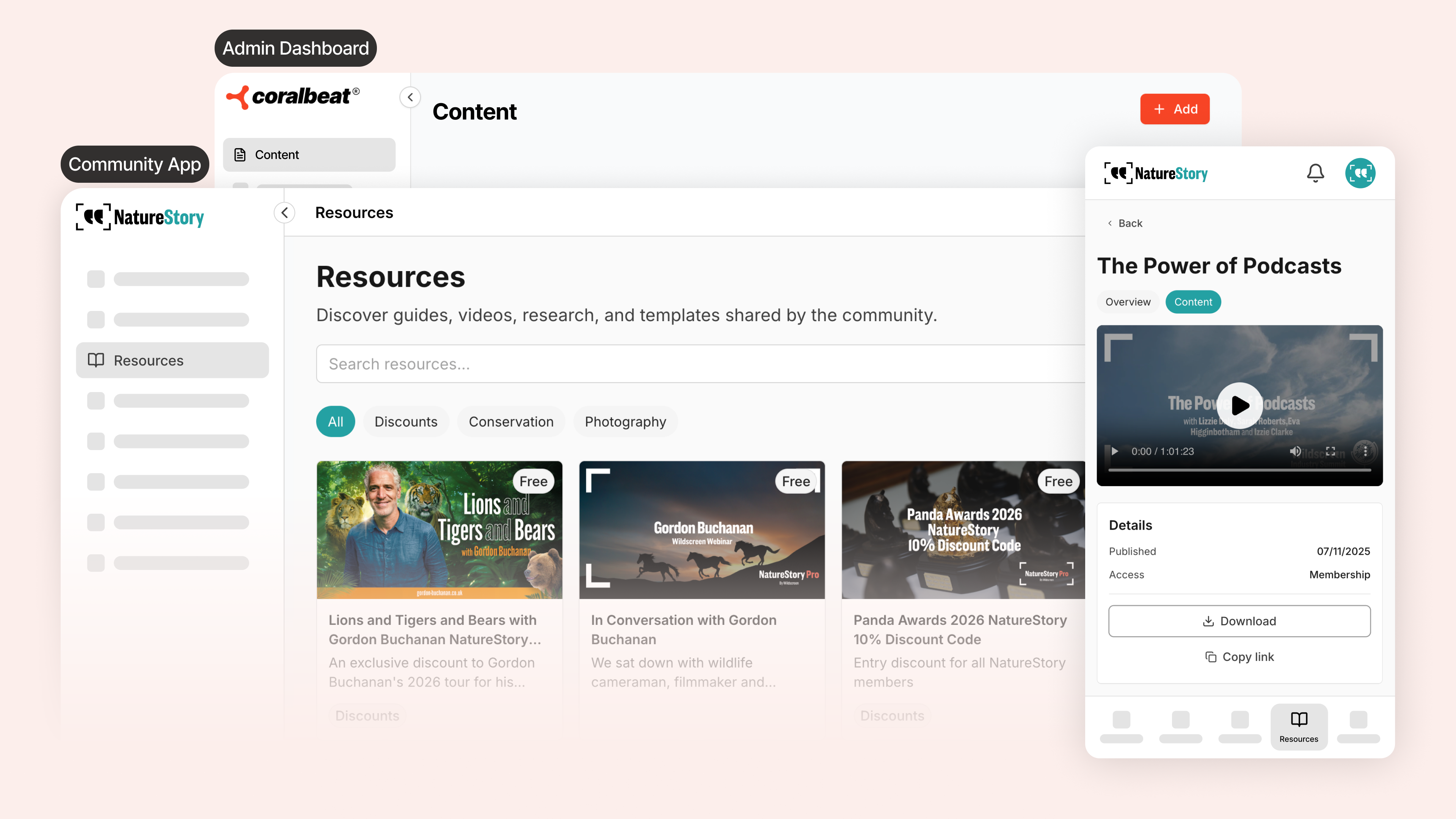
Your Content Library solves this. One system where you upload all your digital content, organize it visually, and control exactly who sees what based on membership tier. Members find everything through a single Resources page in their Community App. No scattered links. No permission chaos. Just organized, professional content delivery.
What You Can Deliver
Your Content Library handles four core content types:
Videos stream directly to members with automatic adaptive quality. Upload once, and your videos play smoothly on any device. Course modules, tutorial series, behind-the-scenes content, recorded webinars all live here with clean, professional presentation.
PDFs work for guides, workbooks, templates, and reference materials members download and keep. Product care instructions, training manuals, resource libraries, branded templates upload as easily as dragging files into a folder.
Images and Documents (Word, Excel, PowerPoint) upload the same way. Graphics, design templates, spreadsheets, presentations all live in your library with the same access control and professional presentation.
Access Control That Actually Works
Every resource you upload gets an access level. You decide which membership tier unlocks each piece of content.
Free tier access makes content available to everyone in your community. Perfect for welcome videos, sample lessons, community guidelines, and anything that shows value before members pay. Your "Getting Started" guide. Your brand story video. Your volunteer orientation materials.
Paid tier access gates content behind specific membership levels. Your Basic tier unlocks foundational courses. Your Premium tier adds advanced masterclasses. Your VIP tier gets exclusive behind-the-scenes content. Members see exactly what's available to them and what unlocks at higher tiers.
When members upgrade their membership, premium content automatically appears in their Resources page. No manual intervention. No permission spreadsheets. The system handles it.
How Members Experience Your Library
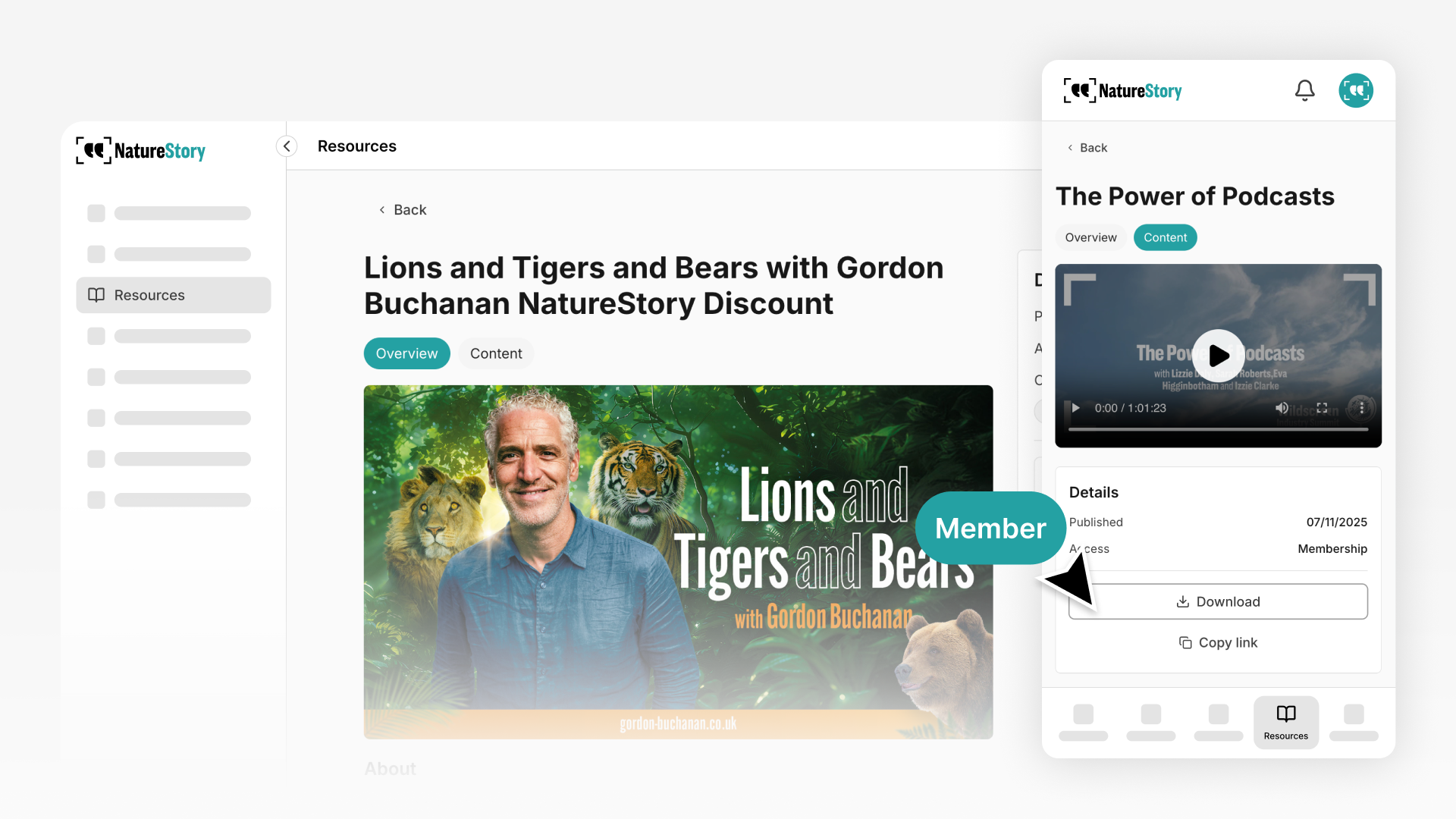
Your community members see the Resources page in their Community App. Clean thumbnail grid showing what's available to them. Clear titles explaining what each resource contains. Categories organizing related content together.
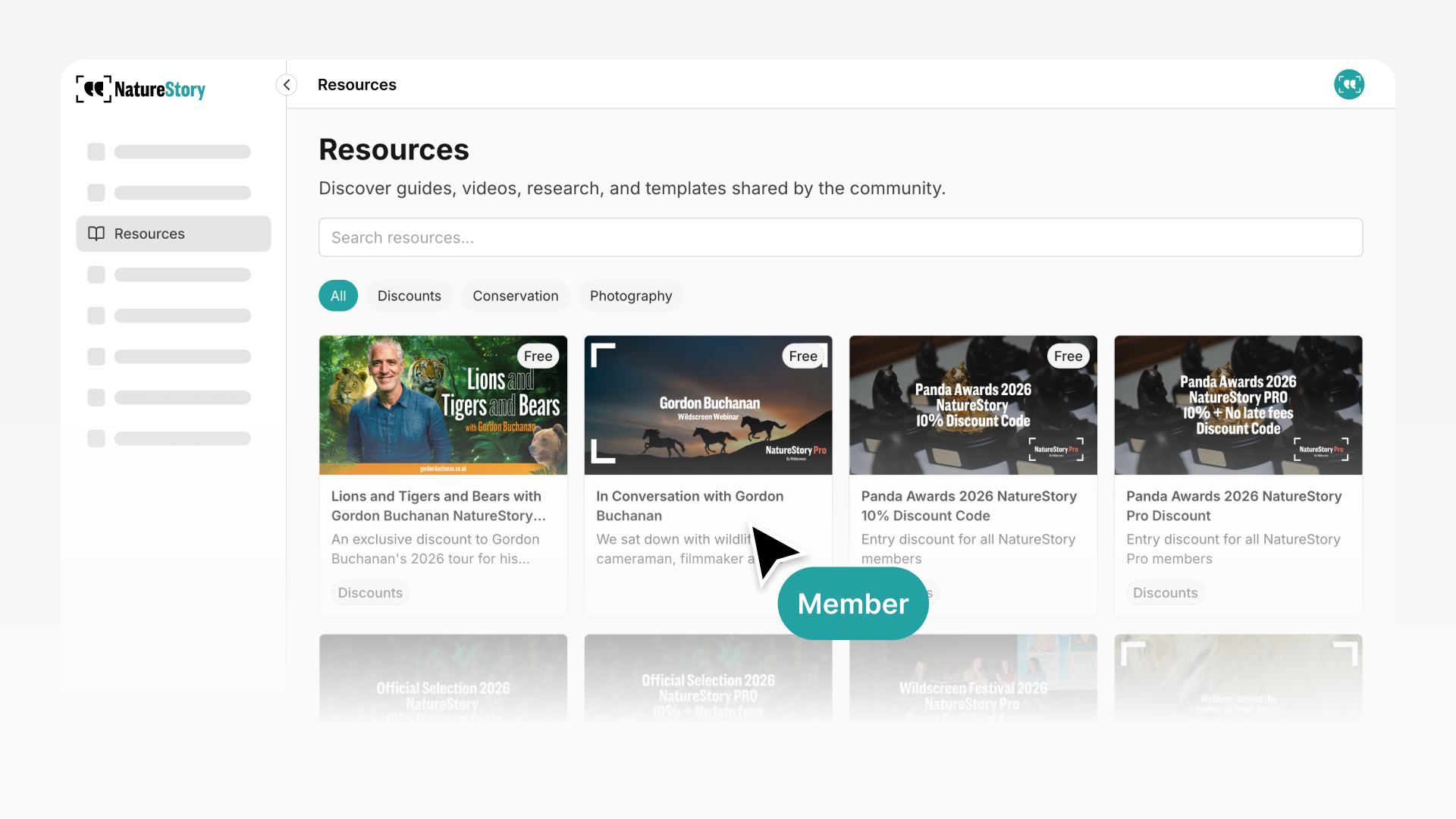
They tap a resource, view or download instantly. Videos stream in-app with standard playback controls. PDFs download for offline access. Everything works smoothly without sending members to external platforms.
Built for Your Community Type
Course Creators & Coaches
Your knowledge business lives in your Content Library. Upload course modules organized by topic. Offer sample lessons freely to demonstrate value, then gate full curriculum behind paid tiers. Add downloadable workbooks, templates, and worksheets that complement your training.
Example in practice: A business coach offers a free "Getting Started with Client Acquisition" video. Paid tier unlocks her complete LinkedIn Marketing Course (12 modules), Client Acquisition Masterclass (8 videos), Pricing Strategy Workshop (6 videos), plus downloadable templates for scripts, calculators, and checklists.
E-Commerce & Product Brands
Share product resources and exclusive brand content your customer community values. Upload care instructions, styling guides, and product tutorials. Create VIP tier content like seasonal masterclasses, collection lookbooks, and behind-the-scenes production videos.
Example in practice: A sustainable fashion brand provides free styling guides and care videos. VIP tier accesses Seasonal Styling Masterclasses, Behind-the-Scenes Design Process content, and Sustainable Fashion Resource Library (PDFs on fabric sourcing, ethical manufacturing, wardrobe building).
Non-Profits & Advocacy Organizations
Organize training materials and impact resources for volunteers and donors. Upload orientation videos, program-specific training guides, and safety materials. Share exclusive impact content with major donors showing field work and program outcomes.
Example in practice: An environmental organization offers free Volunteer Orientation (3 videos). Active volunteer tier unlocks Program-Specific Training Guides (habitat restoration, wildlife monitoring, education programs). Major donor tier accesses quarterly Impact Reports, Field Work Documentary Series, and Program Outcomes Analysis.
Setting Up Your First Resources
Log in to your Admin Dashboard and navigate to Content Library. Click "Add Resource" to start.
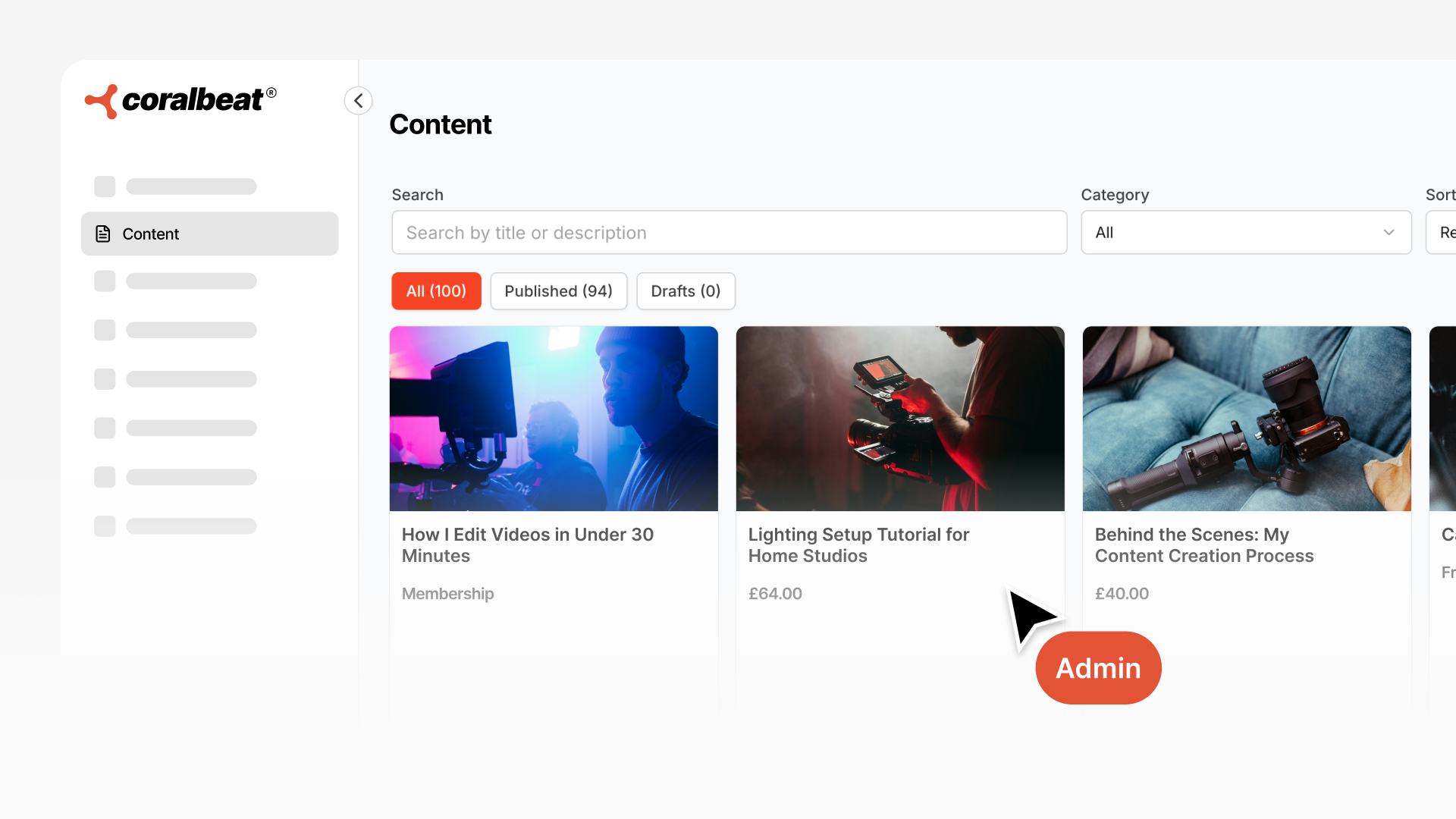
Title and description tell members what they're getting. "LinkedIn Marketing Module 1: Profile Optimization" is clearer than "Video 1." Descriptions preview the value inside so members know whether to watch.
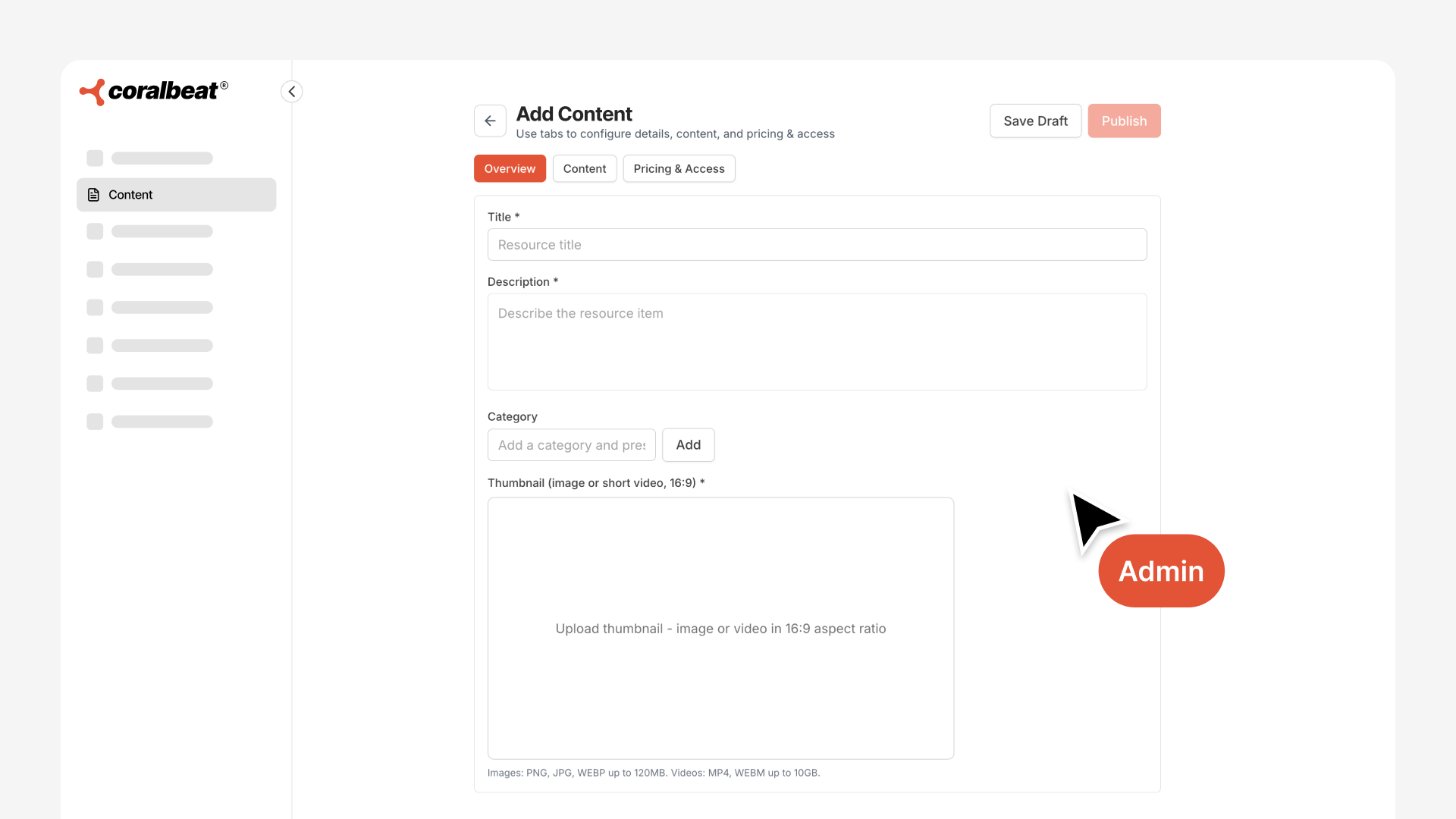
Category organizes related content together. "Course: Client Acquisition" groups your course modules. "Product Guides" groups care instructions. "Volunteer Training" groups orientation materials. Members filter by category to find what they need.
Custom thumbnail makes your library look professional. Upload an image that represents the content. Your brand colors, clean typography, or content screenshots all work.
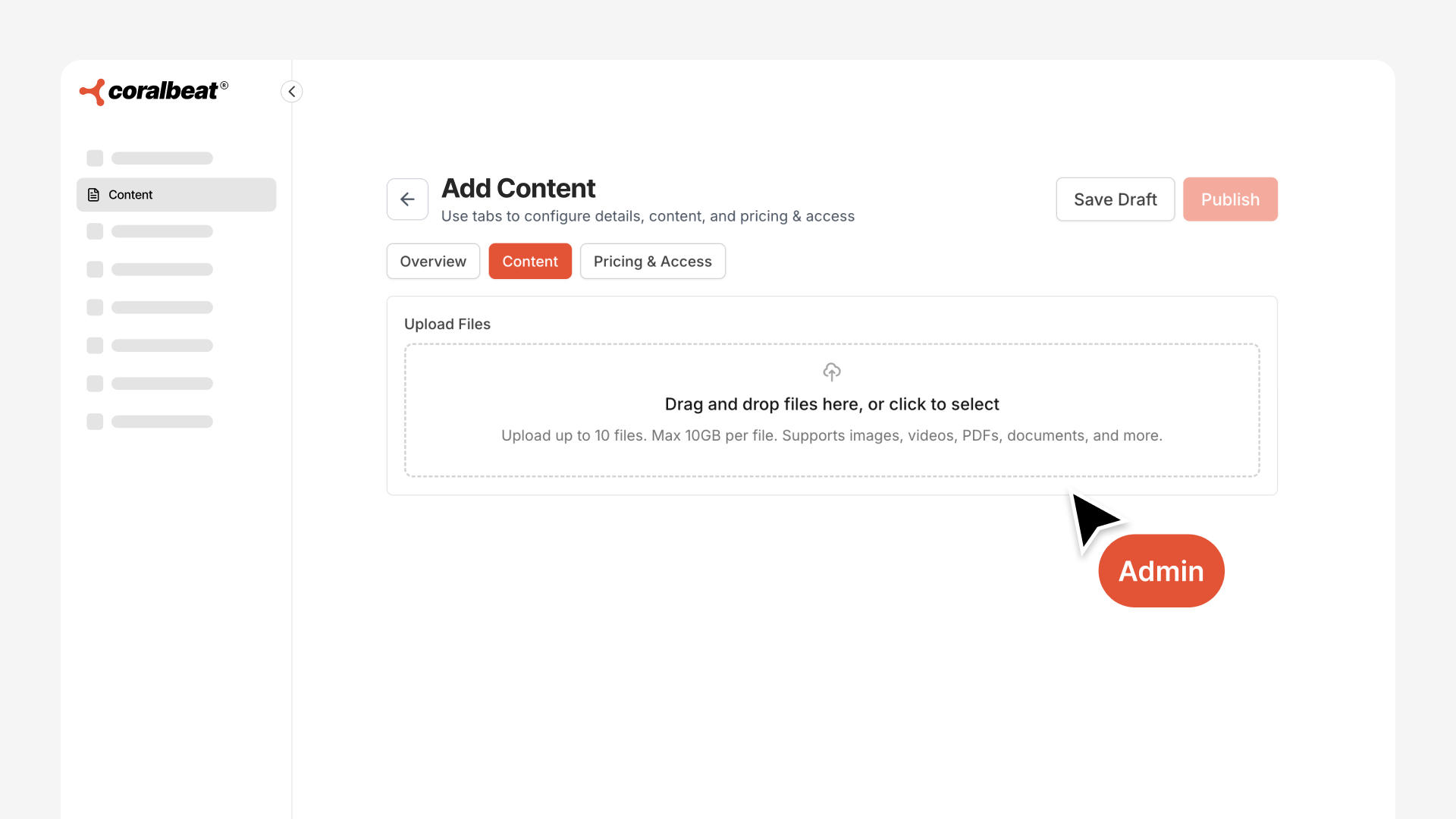
Access level sets which membership tier unlocks this resource. Select "Free" for community-wide access or choose your paid tier names (Basic, Premium, VIP, etc.) for gated content.
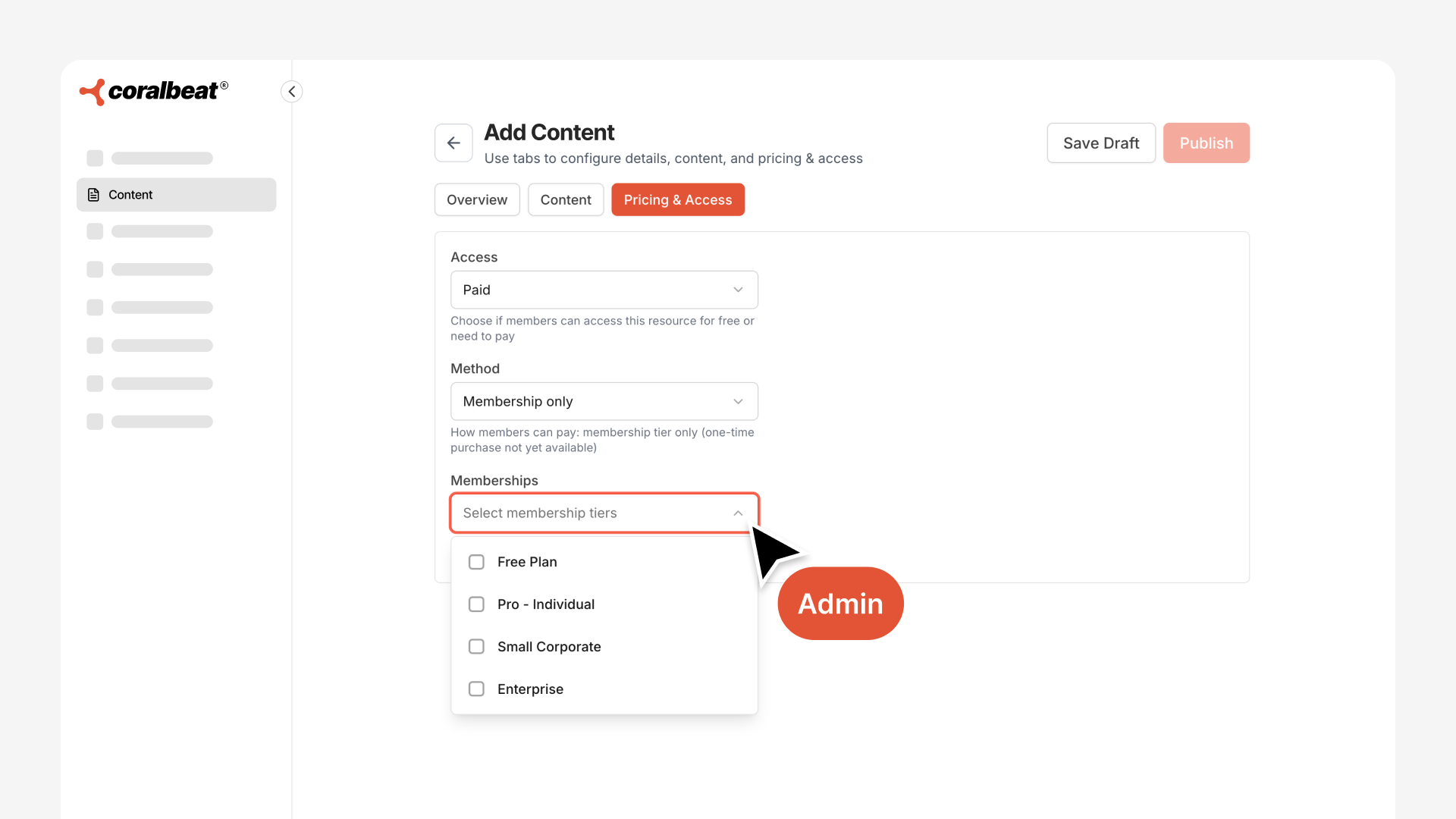
Upload your file and publish. The resource appears immediately in your Community App, accessible to the appropriate tier members.
Building Your Library Strategy
Start with high-value free content. A welcome video. Sample lesson. Product care guide. Give members immediate value that demonstrates what they'll get with paid access.
Layer in tier-exclusive content strategically. Complete course behind Premium. Advanced masterclasses behind VIP. This creates clear upgrade incentive without hiding all value.
Announce additions in your community feed to maintain engagement and showcase ongoing value delivery.
Your Content Library organizes everything your members need in one professional system. Upload your first resource today and start delivering content the way your community deserves.