You built your community to connect people around shared interests, goals, or causes. But as it grows, so does the challenge of maintaining the quality and safety that made it valuable in the first place.
One toxic member can drive away dozens of good ones. A single spam post can erode trust. Harassment goes unnoticed until it's already damaged relationships. And you can't be everywhere at once, reading every post and comment as they happen.
Most community leaders face an impossible choice: spend hours each day monitoring every conversation, or accept that things will slip through the cracks. Meanwhile, your best members see the issues but have no way to help you address them.
Member-Powered Moderation
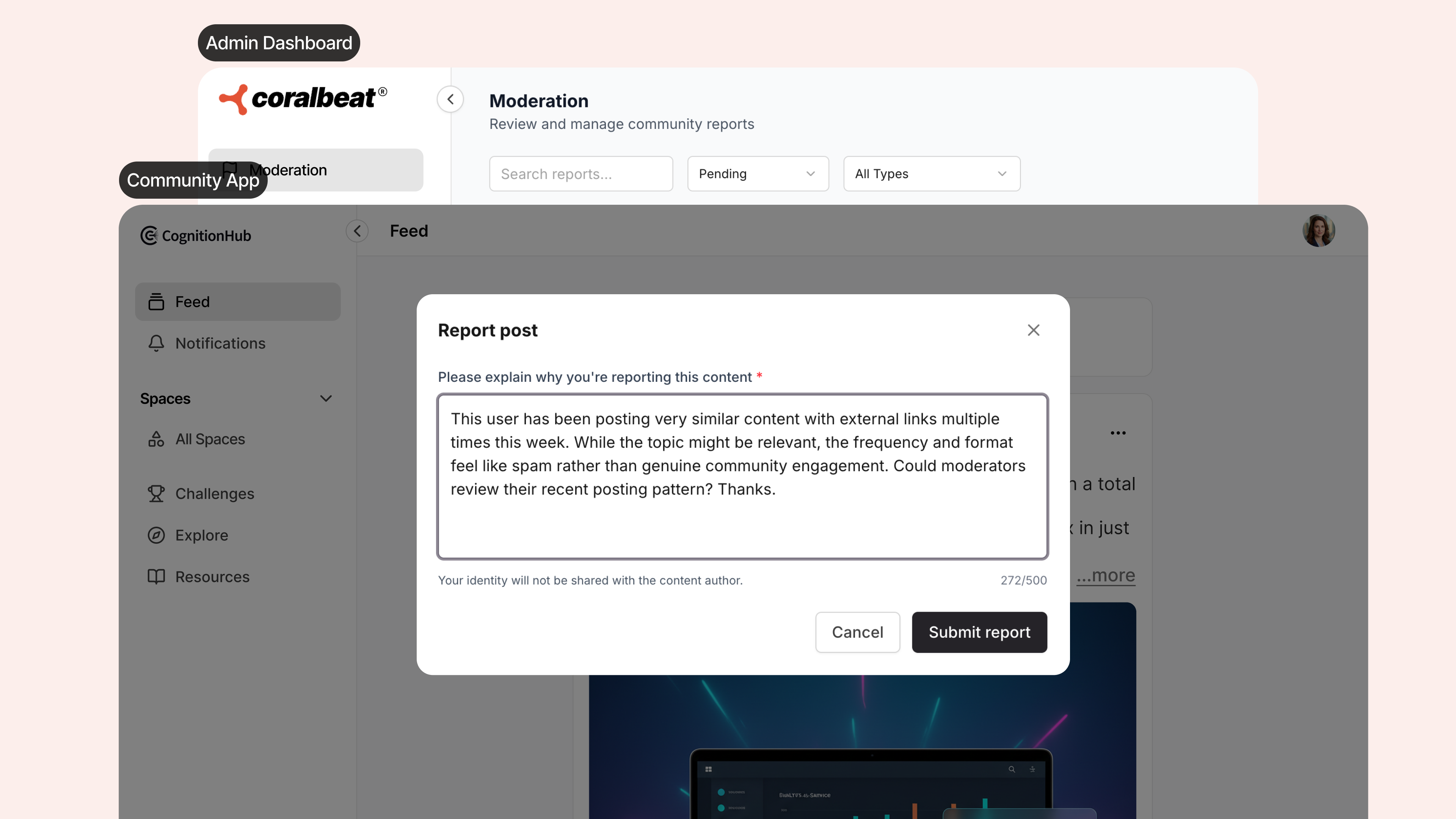
Coralbeat's moderation system turns your community members into your first line of defense. When someone sees content that violates your guidelines, they can report it directly from the Community App. You review those reports in your Admin Dashboard with all the context needed to take action.
This means your most engaged members help you maintain standards while you stay in control of every decision.
How Member Reporting Works
Members browse your community feed and engage with content like usual. When they encounter a post that concerns them, they can flag it for your review with a single tap.
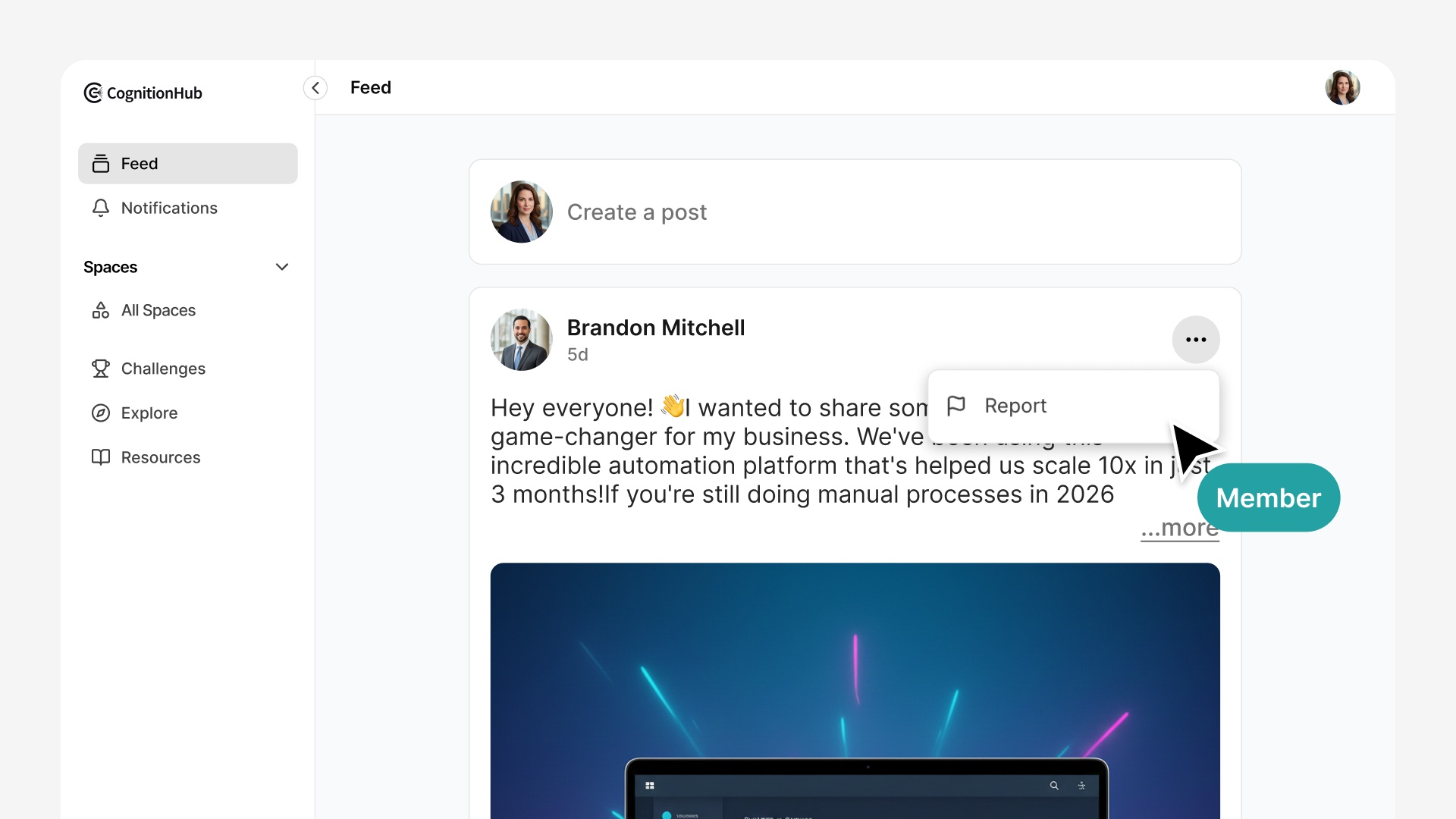
Each report they submit includes:
- The full post content
- Their explanation of the concern
- Who posted it
- When it was created
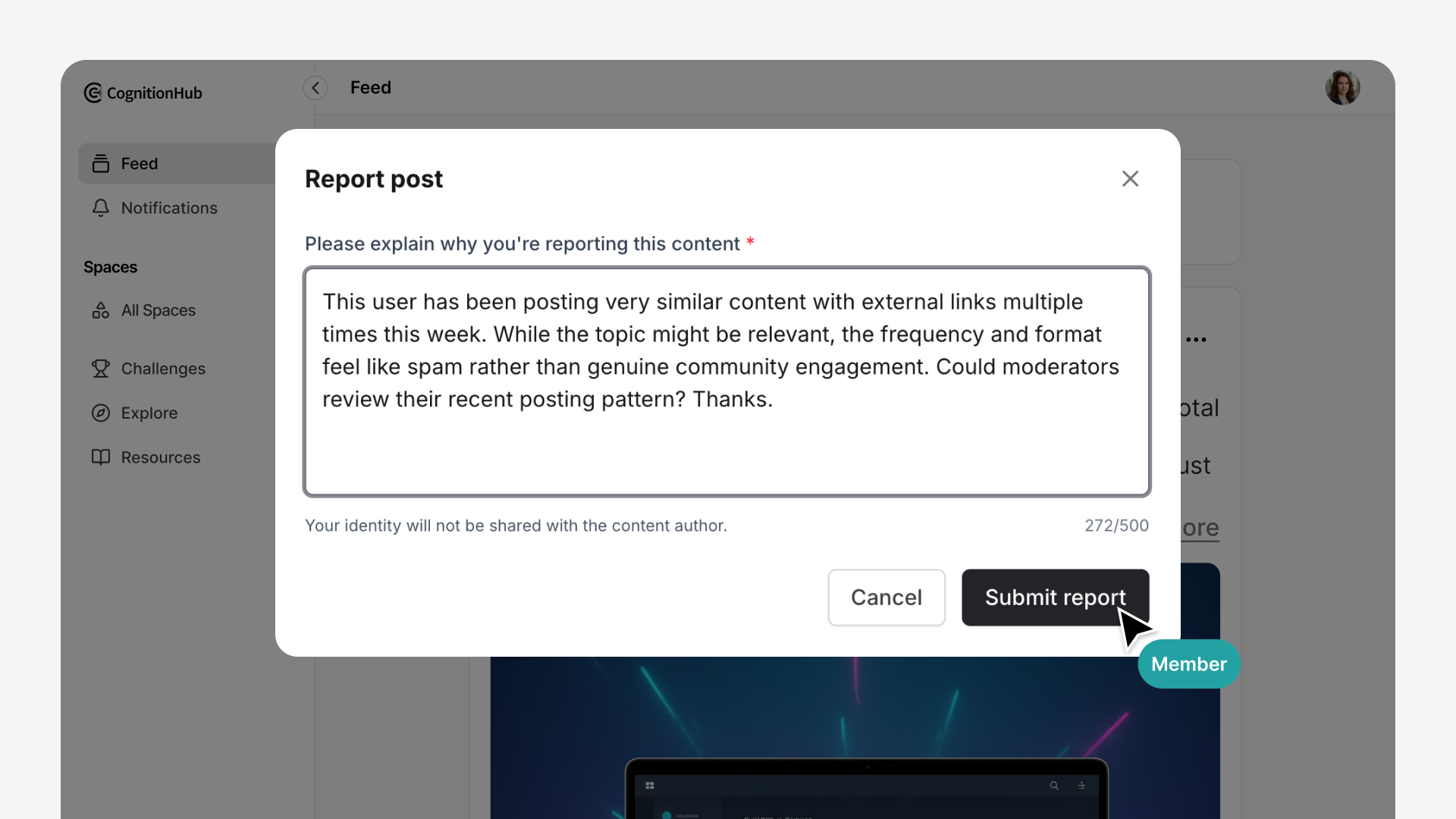
The report goes directly to your Admin Dashboard where you can review it alongside any other reports about the same content or member.
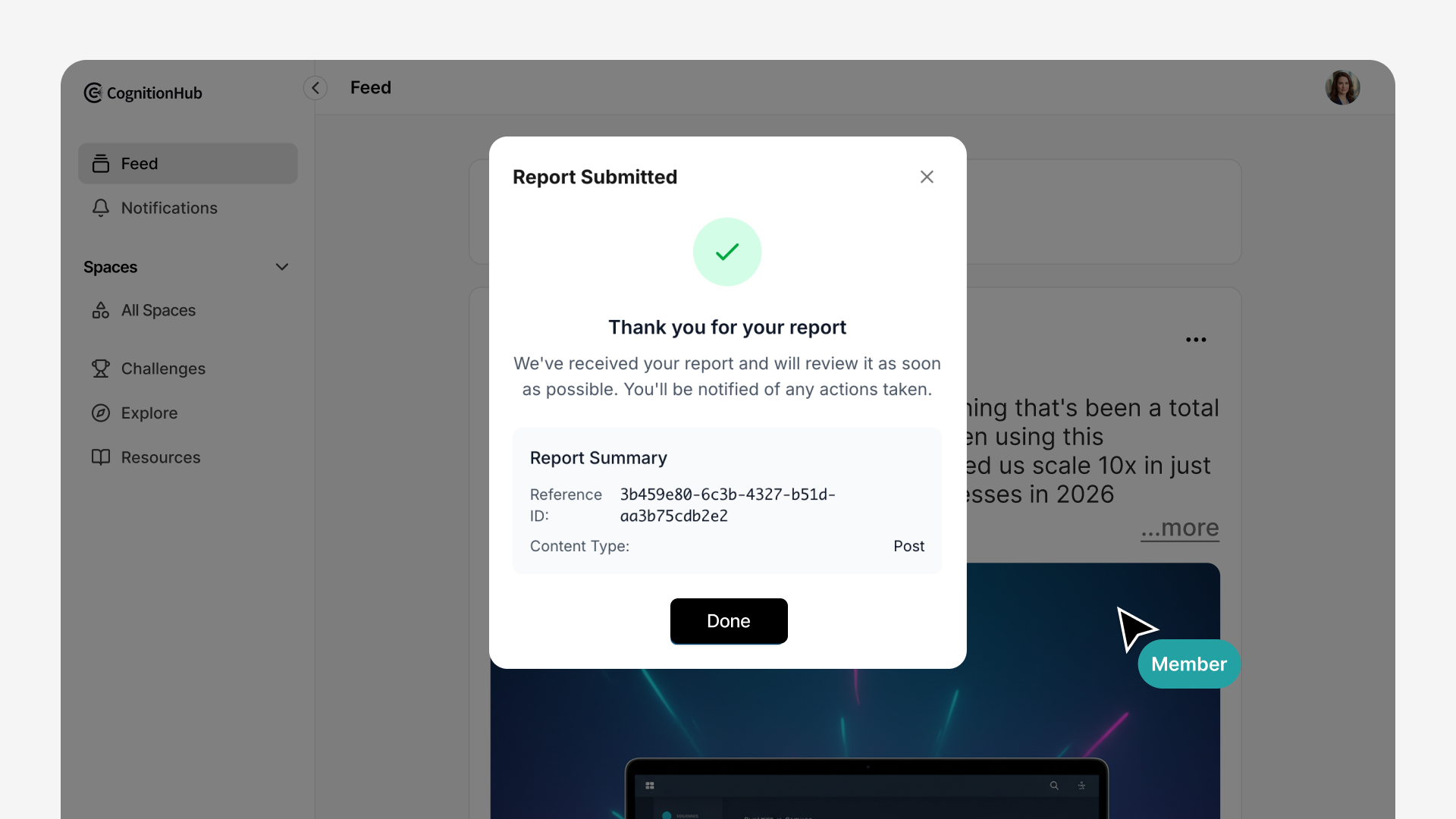
Your members become active participants in maintaining the community environment without needing moderation permissions or access to admin tools. They report concerns, you make the decisions.
Centralized Admin Review
Every report arrives in the Moderation section of your Admin Dashboard (Admin Dashboard → Community → Moderation). You see the complete picture for each case:
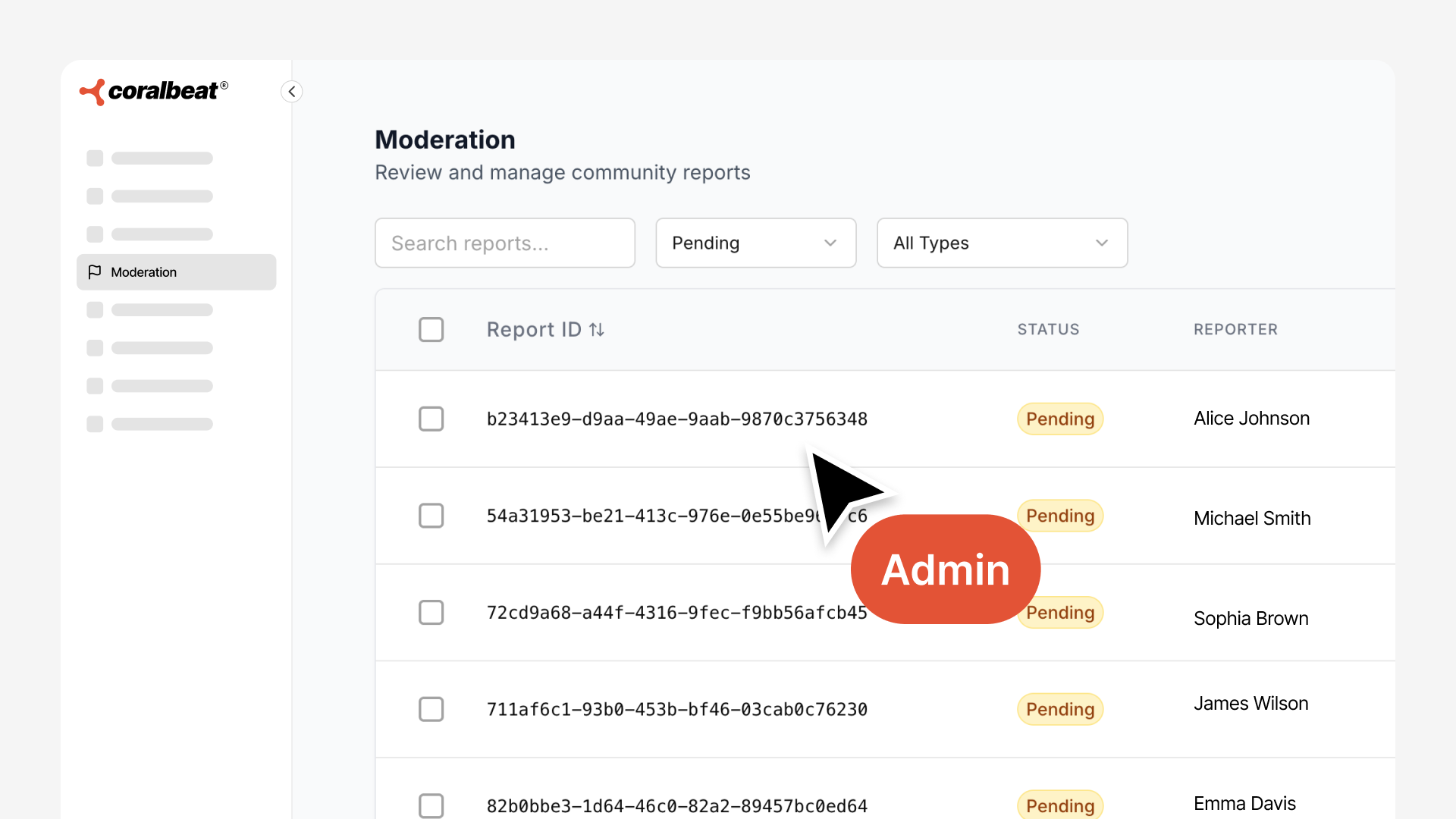
- The member who reported it
- Why they flagged it
- The author of the flagged post
- The full post content and context
- When the report was submitted
All reports stay in one place, so you're never digging through email threads or trying to remember which issue you already addressed. Open cases show as pending until you take action. Resolved cases remain accessible in your moderation history.
Taking Action on Reports
For each report, you decide how to respond:
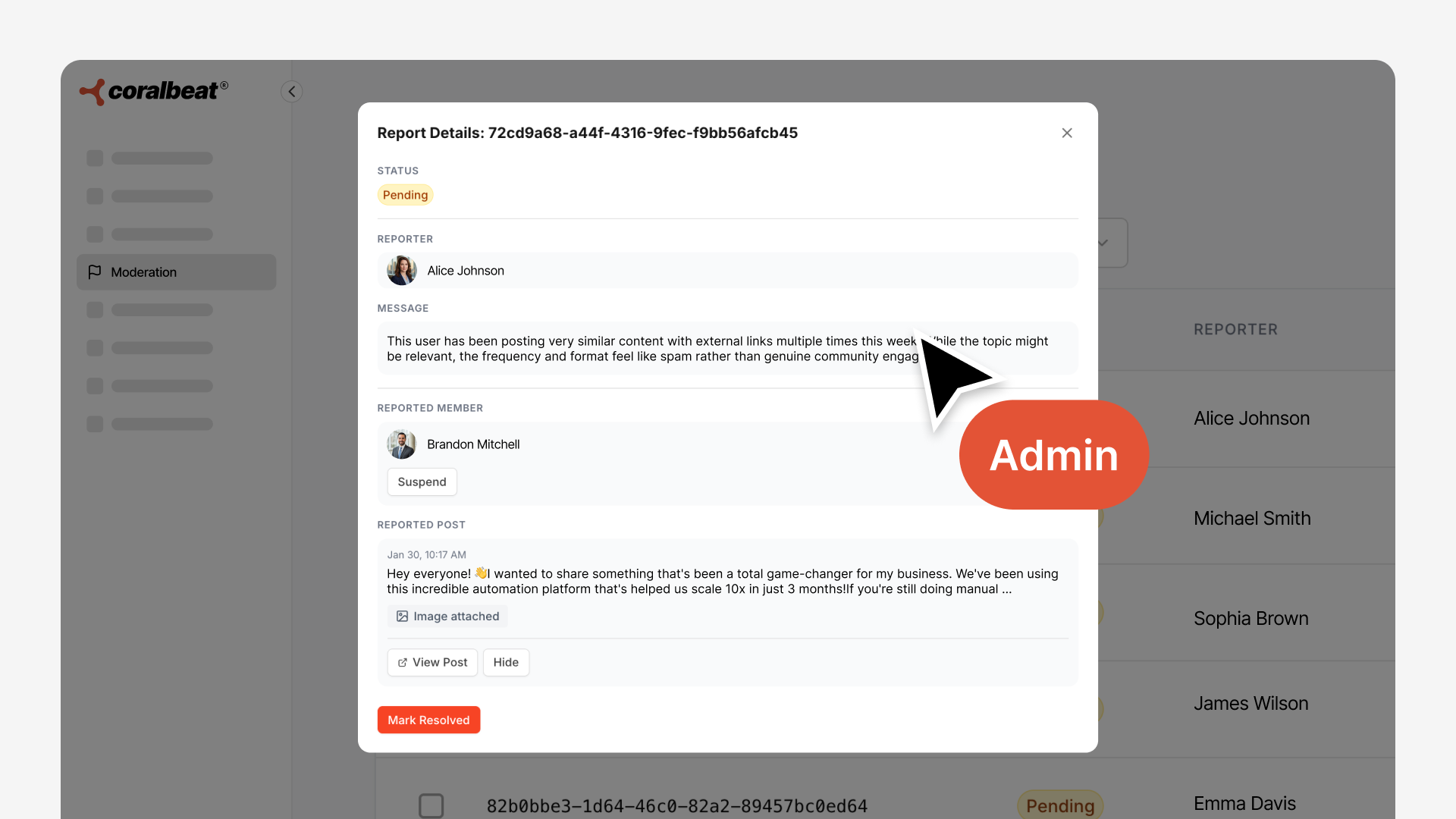
Review the content in full context. See exactly what was posted, when, and by whom. Read the reporter's concern to understand what triggered the flag.
Remove the post if it violates your community guidelines. The content is removed from the community feed immediately.
Suspend the member if their behavior warrants it. Suspension removes them from your community entirely.
Mark as resolved when you've addressed the issue. The case closes with your decision recorded. If you decide no action is needed, mark it resolved and move on.
Reopen if needed. If new information surfaces or circumstances change, you can reopen resolved cases to take additional action.
You maintain complete control. Every moderation decision is yours to make, informed by your members' reports and your own review of the content.
Moderation History That Scales
Your moderation dashboard preserves a complete record of every case. Review past decisions to maintain consistency as your community grows. Identify patterns in member behavior across multiple reports.
As your community scales from dozens to hundreds or thousands of members, you're not trying to monitor every conversation yourself. Your engaged members help surface issues. You focus your time on making decisions, not hunting for problems.
Built for Every Community Type
Creators and Course Communities: When you're focused on creating content, you can't also police every discussion. Let your most engaged students help you maintain the learning environment while you focus on teaching.
E-Commerce Brand Communities: Your customer community reflects your brand. Members who spot spam, inappropriate content, or behavior that doesn't align with your brand values can flag it before it affects other customers.
Non-Profit Communities: With limited staff managing volunteers and donors, you need community members themselves to help identify issues. Your team reviews and decides, but you're not watching every conversation.
The Result
You get a community where standards are maintained without requiring you to be everywhere at once. Your members have a voice in protecting the space they value. You make informed decisions with complete context. And as your community grows, the system scales with you.
Community moderation that works with you, not against you.